
Marketing OS for Small Business: What It Actually Is
53% of small businesses spend between 1 and 10 hours a week on marketing, according to LocaliQ. The problem isn’t the hours. It’s that for most owners, those hours are scattered across disconnected tools, half-finished ideas, and decisions made from scratch every single time.
A marketing OS for small business is the fix for that scatter. It’s an operating system for your marketing: a defined set of pillars, workflows, and tools that decide what gets made, how, and where it goes, so the work runs to a plan instead of your mood on the day. This is the engine behind any marketing system that works without you, and this guide explains exactly what it is, what it’s made of, and why it changes everything for a business of one.
What a marketing OS for a small business actually is
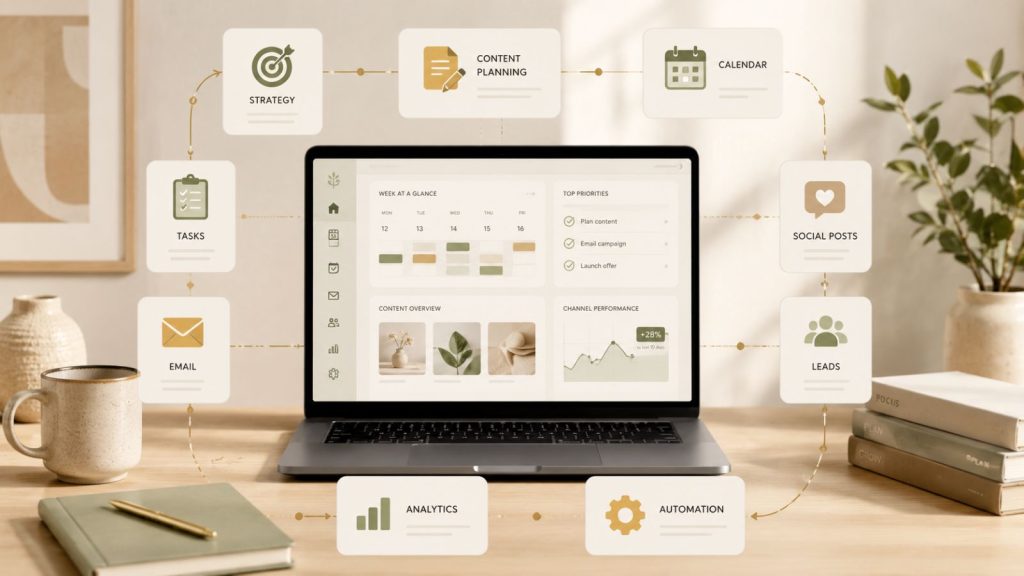
Borrow the term from computers. An operating system is the layer that makes everything else work together: it manages the files, runs the programmes, and gives you one place to control it all. Without it, you’d have a pile of hardware doing nothing.
A marketing OS for small business does the same job for your marketing. It’s the connective layer that turns a scattered collection of activities (a bit of social, the odd email, an occasional blog) into one coordinated machine. It answers the questions that usually eat your week before you’ve made anything:
- What do we talk about? (Your content pillars.)
- What do we make from it? (Your formats.)
- Where does it go? (Your platforms.)
- How does it get made and published? (Your workflow.)
Decide those things once, write them down, and you stop reinventing your marketing every Monday. That documented set of decisions is the OS. It isn’t a piece of software you buy. It’s the structure your software runs inside.
What’s inside a marketing OS
A marketing OS has a handful of parts. The power is in how they connect, not in any single one.
- Foundations. Your brand voice, your three or four content pillars, your offers, and who you’re talking to. This is the source of truth everything else pulls from, so nothing you publish drifts off-message.
- Workflows. The repeatable recipe for each output. “A blog post is made like this. A week of social is made like this.” Written down so the work doesn’t depend on you remembering the steps.
- Tools. The scheduler, the AI assistant, the design tool. Small businesses already juggle three to four channels on average, per LocaliQ. The OS decides how those tools hand off to each other instead of leaving you to bridge the gaps by hand.
- A calendar. The rhythm that says what’s published and when, so visibility never depends on inspiration striking.
Put together, these turn “I should post something” into “the system says it’s Tuesday, so the LinkedIn post is already drafted.” The mental load drops because the decisions are already made.
Why a system beats willpower every time
Most small business marketing runs on willpower, and willpower is the first thing to go when client work piles up. The month gets busy, the marketing goes quiet, the pipeline dries up two months later, and the panic posting begins. That cycle is the default for any owner without a system.
An OS breaks it because the structure carries the load, not your discipline. When the steps are defined and the calendar is set, showing up consistently stops being a daily act of motivation and becomes the path of least resistance. You’re following a plan, not finding the energy to invent one.
It also compounds. Every workflow you document is a decision you never have to make again. The first month of building an OS feels like overhead. By month three it’s quietly producing more marketing, more consistently, in less of your time, because the thinking is already banked. That’s the whole point: build the machine once, then run it. The same logic powers how you build your first AI content workflow, which is one of the most useful workflows to slot into the OS first.
How to start building yours
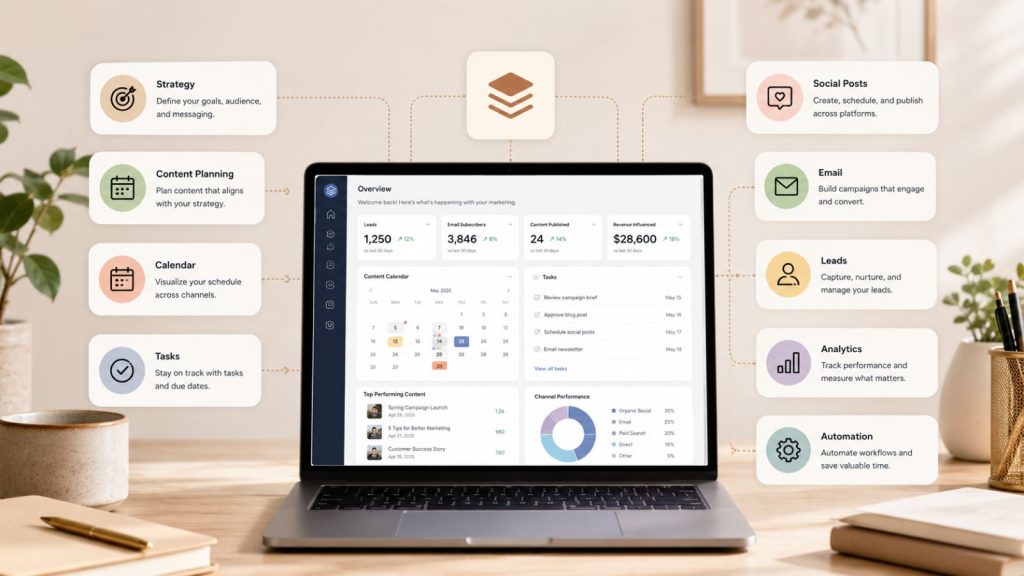
You don’t build the whole thing at once. You start with the part that’s costing you the most and grow from there.
- Write your foundations down first. One page: your pillars, your voice, your offers, your audience. Everything else references this, so it has to exist before anything else makes sense.
- Document one workflow. Pick the output you make most often and write the recipe for it. Now it’s repeatable, and anyone (including a future you on a bad day) can run it.
- Set a simple calendar. Decide what gets published each week and stick to a pattern you can actually keep. Rhythm beats volume.
- Connect one tool to remove one manual step. Add a scheduler so publishing doesn’t depend on you being free. Then expand from there.
That’s a working marketing OS at its simplest. One source of truth, one documented workflow, one calendar, one automation. From there, every new piece you add makes the machine do more while asking less of you. A natural next step is learning to turn one YouTube video into a month of content, which feeds the whole calendar from a single recording.
Frequently asked questions
What is a marketing OS for a small business?
A marketing OS is the documented system that runs your marketing: your content pillars, repeatable workflows, tools, and calendar, all connected so the work happens to a plan instead of from scratch each time. It’s not software you buy. It’s the structure your tools and effort operate inside, which is what makes marketing consistent and far less draining.
Is a marketing OS the same as marketing automation?
No, but they work together. Automation is software doing a task for you, like scheduling posts. A marketing OS is the bigger structure that decides what gets made, why, and where it goes. Automation lives inside the OS as one part of it. You can automate tasks without a system, but the results stay scattered.
Do I need expensive software to build a marketing OS?
No. A marketing OS is mostly decisions and documentation, not tools. You can build a working version with a single document for your foundations and workflows, a free scheduler, and an AI assistant. The value is in the defined structure, not the price of the apps. Start simple and add tools only when a real bottleneck appears.
How long does it take to set up a marketing OS?
You can stand up a basic version in a weekend: write your foundations, document one workflow, and set a weekly calendar. The full system grows over a few months as you document more workflows and connect more tools. The first month feels like overhead; by month three it’s saving you more time than it took to build.
Build the machine, then run it
A marketing OS for small business isn’t a luxury for big teams. It’s exactly what a business of one needs most, because it replaces the thing you can’t scale (your willpower) with structure that does the remembering for you. Write your foundations, document one workflow, set a rhythm, and let the system carry the consistency.
If you want to build yours alongside other owners doing the same, with the templates and feedback that get it running faster, become a member and set up a marketing OS that does the heavy lifting for you.