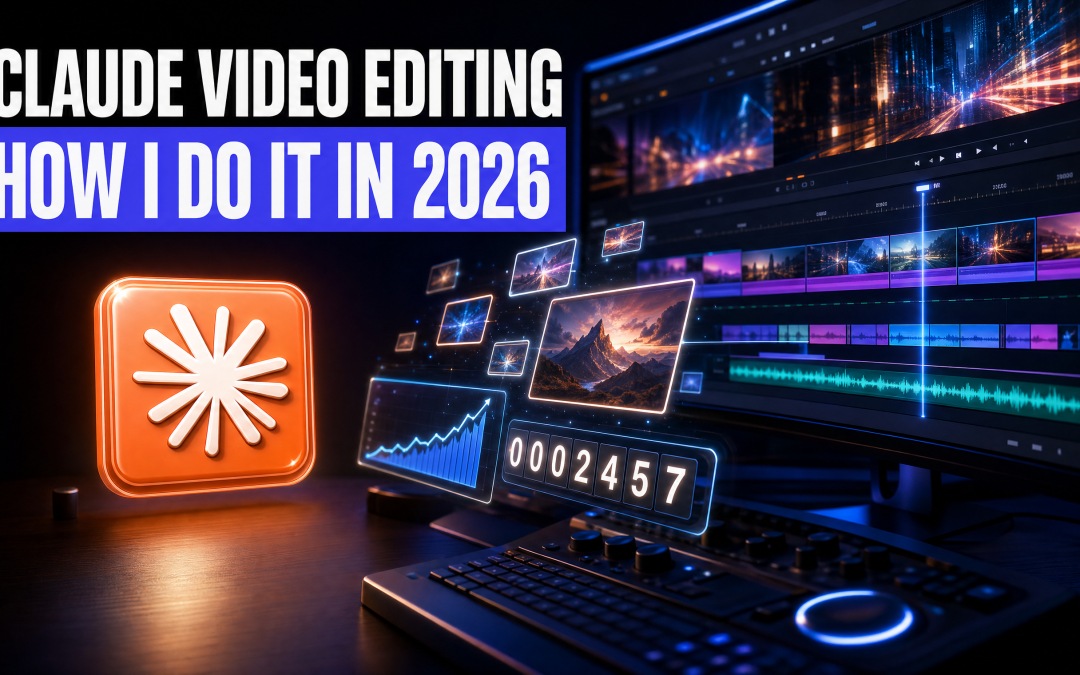
Claude video editing is how every video on my channel now gets made. I record myself, drop the file into a folder, and tell Claude I want it edited. Claude Opus 5.5 cuts the mistakes out, builds the motion graphics, moves the frame around me, and opens the whole thing in a live preview so I can leave notes before anything is rendered.
I am not a professional editor, and that is the point of this article. Editing used to take up hours of my evenings. Now I spend roughly two to three hours less on it every week. This is the full process, what it can put on screen, where it still goes wrong, and what you need to start.
Why editing was the bottleneck
If you run your own business, video is rarely stuck at the filming stage. It gets stuck at the edit.
My old routine went like this. Sit down at the computer in the evening, open the timeline, and go through it by hand. Cut the content, scrub back and forth, take out the mistakes (and there are always a lot of them), then add b-roll, add images and line everything up. All of that for a video that might get two or three hundred views if I was lucky, and then the same again the following week.
A professional editor would fly through that, probably ten times quicker than me. Most business owners are not professional editors, though, and that gap is exactly where AI earns its keep.
The other route is paying someone. If you can afford a video editor, it is a perfectly good option. By my own estimate it runs to around €100 to €150 a week to edit one or two videos, and I have written up what a video editor actually costs separately if you want the full breakdown. The real question is where your time is better spent. For me, the hours I got back now go into my community and supporting people, and that is worth more than any timeline.
How Claude video editing works, start to finish
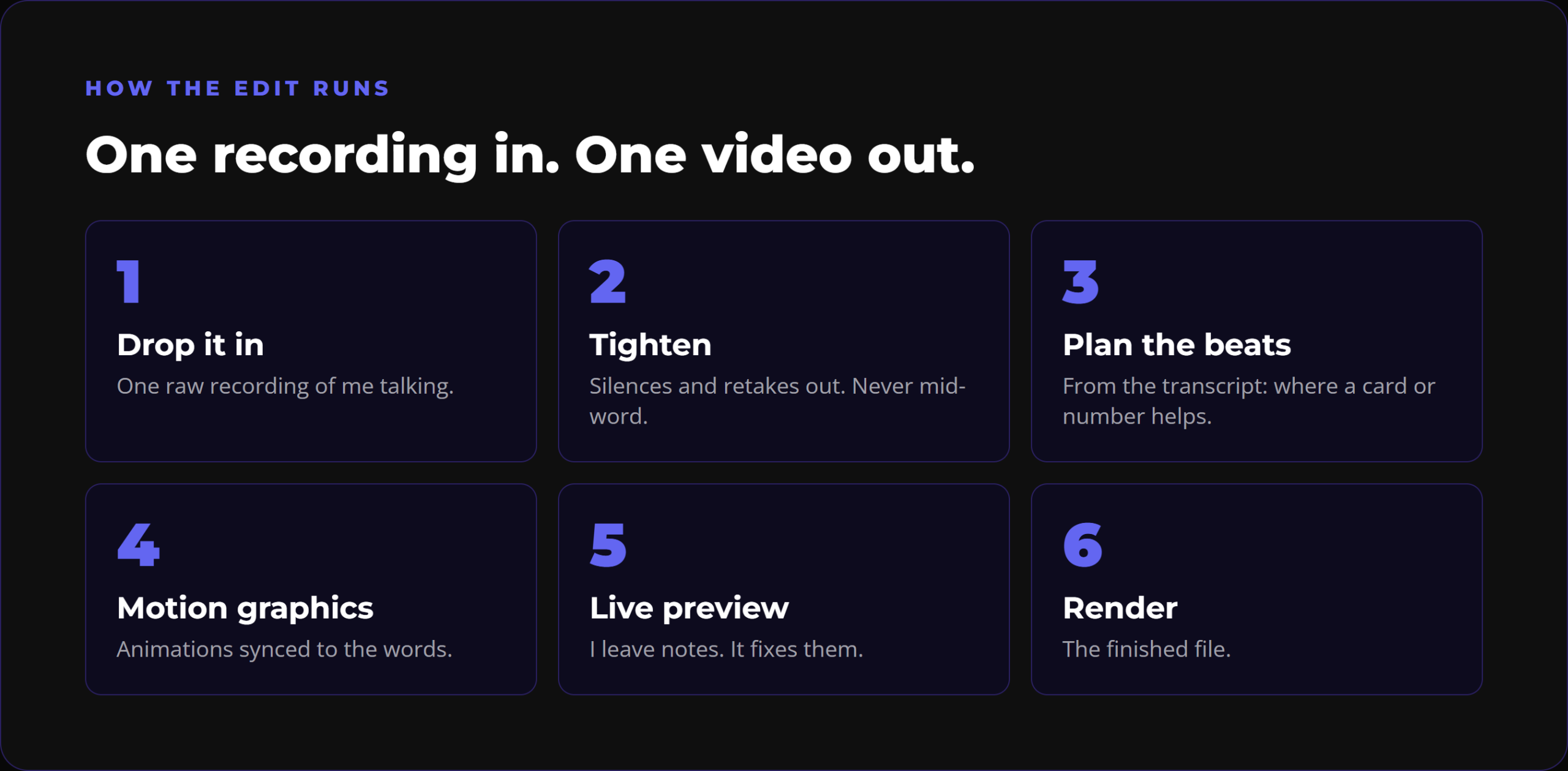
The process is simpler than people expect.
- Record. I film myself on a phone or a webcam, whatever is to hand. No script, because I cannot read off one. I work from notes that guide the structure.
- Plan what is on screen. Before filming I put together a filming guide: what I will talk about in each section and what should appear on screen while I say it. That guide is the key to the whole thing, because it tells the edit what I intended.
- Hand it over. I drop the recording into a folder and tell Claude "I want you to edit this."
- Tighten. Silences and retakes come out, and it never cuts in the middle of a word.
- Build the graphics. It reads the transcript and decides where a card, a number, a logo or a diagram helps the point land, then times each one to the word I say.
- Preview. The edit opens in a live preview in the browser. I scrub through the timeline and leave notes.
- Render. Once I am happy, it renders the finished file.
Behind this sit two skills I built in Claude Code: one for long-form videos and one for short-form. On a long-form video like the one above, it cuts to a side card, puts a box around me on the right or the left, and moves the frame between those layouts as the video goes on. Doing that by hand would take me an evening. Claude does those adjustments quickly and without fuss.
What Claude can put on screen
The biggest benefit is complete control over the motion graphics, described in plain words.
- Images popping up beside you. I leave space in the frame when I film, and it fills that space with the images I am talking about.
- Charts that draw themselves. Ask for a graph going from left to right and rising, and that is what appears.
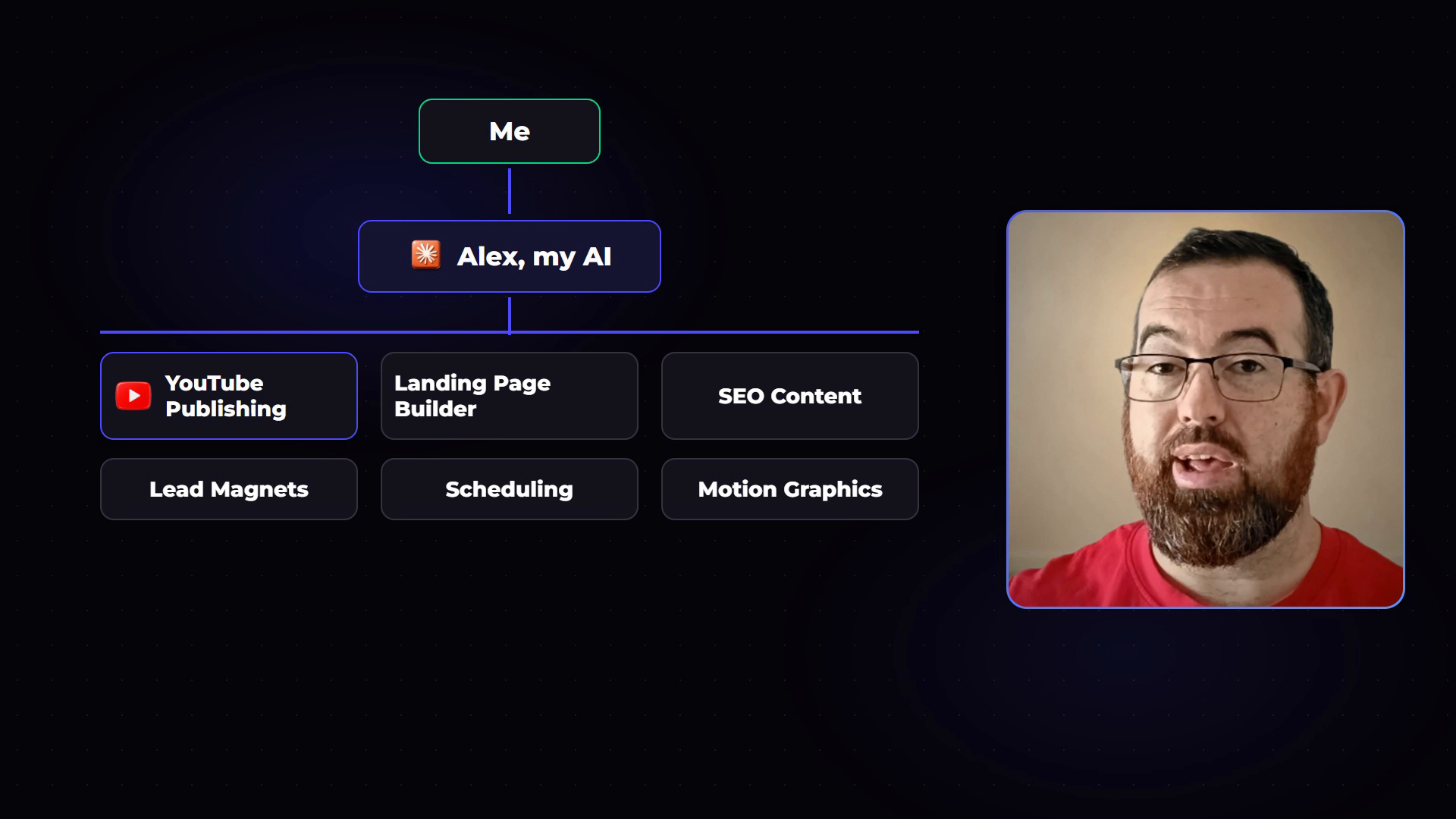
- Diagrams of how things connect. In my video I describe how my business is set up: me at the top, my AI (which I call Alex) below, and Alex fanning out to departments like YouTube publishing and the landing page builder. It built that as it was said.
- Mock-up screens. A Google search bar typing out a query, a dashboard, a search results page with a page climbing from number 14 on page two to the top of page one.
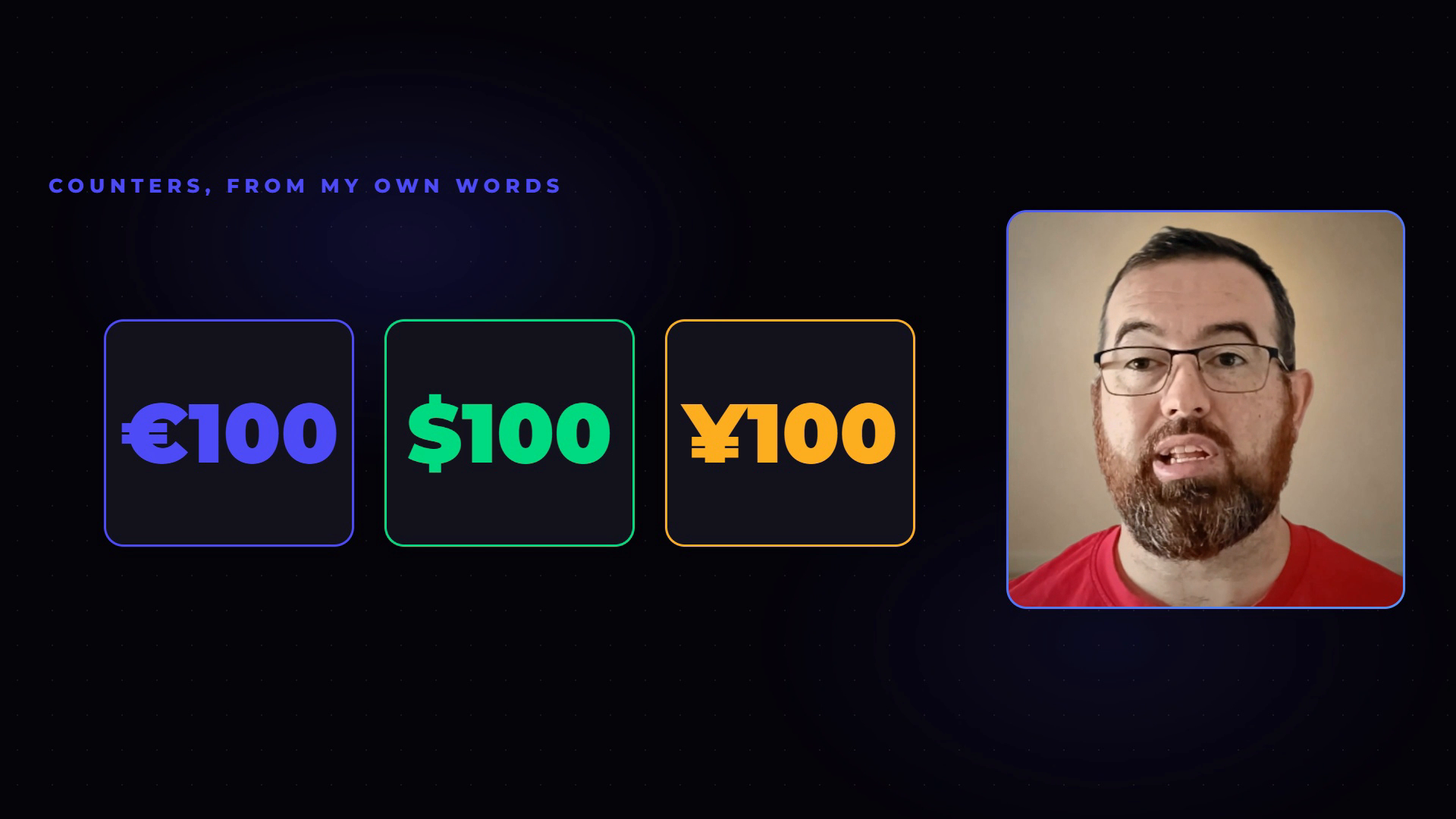
- Counters. Numbers counting from one to ten, then switched to dollars, then to euros, then three counters side by side in euros, dollars and yen, each a different colour.
- Layouts that move. A floating card beside you that then moves to the opposite side, which breaks up the scene and helps keep people watching.
Counters were the thing that sold me. In CapCut, doing them by hand took me far too long, so I would skip them and then forget about them in the next video. Now I say what I want and it appears.
The live preview is where you stay in control
The part people underestimate is the review step. Once everything is in the video, it opens in a preview where I can go through the entire timeline and give feedback any way I want. Use a different logo here, different b-roll there. I scrub through, leave the notes, and see exactly what the output will be before it renders.
This is also where Claude Opus 5.5 has made a noticeable difference. It is finer at cutting out the mistakes and better at making each section more engaging, which means fewer notes from me and less time in the preview.
One recording, five trial reels
One of my favourite uses has nothing to do with long-form at all. Instagram trial reels let you test a reel on people who do not follow you yet, so you learn what works before your followers see it.
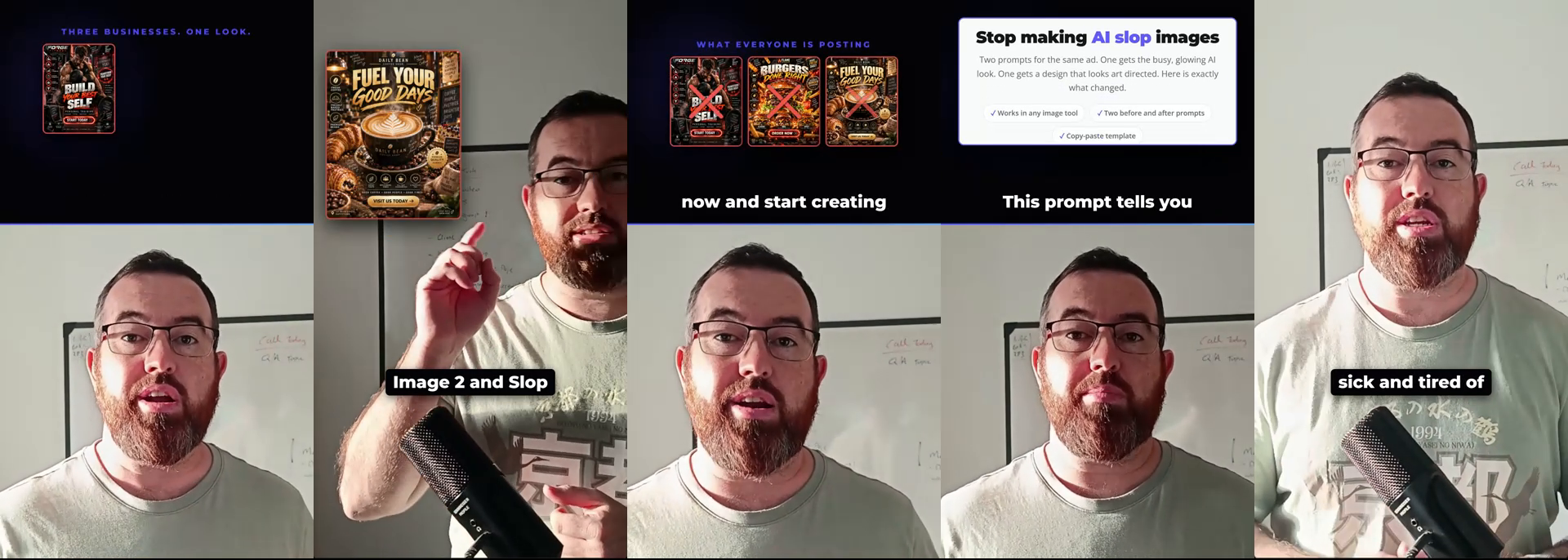
Testing only works with genuine variations. So I record one video on a topic, then tell Claude I want five short-form versions of it, each completely different. It changes the title hook on screen, the opening scene, the opening image and the style of animation. I post them over two or three days and start to see which editing style and wording connects.
Doing that by hand, you end up with the same video with one or two things changed if you are lucky. With Claude it is one recording, exported five or six different ways.
What breaks when you start
Not everything is rosy, and it is worth knowing before you begin.
When you first set this up, it will break a bit until you have something you are happy with. The design might not be right, the render might not come out the way you expected, or some of the elements it pulls in will not suit you. You will throw a few versions away and refine a few more.
It does improve. The more you tell it what you do and do not like, the more it picks up. If you have to say it too many times, it learns. In my case it learned I do not like it when the colour on screen changes to something random, and it stopped doing that.
So do not expect to set it up once and walk away. There is a learning curve and a bit of a process to get it right. Spend the first week learning what it will and will not do, and after that it saves you time every single week.
The time I got back
Long-form editing used to take me roughly two, three, sometimes four hours a week. Most of that is now gone.
I put that time into the community. I now offer premium calls to premium members, support on AI and support on marketing, because I am no longer sitting in front of a timeline knowing I am not great at the editing side of things.
What you need to start
There are six skills behind my whole editing process, and getting started comes down to four things:
- Get Claude and set it up.
- Record one video. A phone and you talking is enough.
- Get the guides and the setup files.
- Install it on your own system.
Give it a few hours and you will have it working in a way you are happy with. For shorts, turn your phone the other way and record vertically. Better still, once a long-form video is rendered you can tell it to cut that into short-form content, and from one long recording you will get five or six shorts.
If you want to go further than editing, I have also written about turning AI video editing into a business you can sell to local companies.
Frequently asked questions
Can Claude edit videos? Yes. Working in Claude Code, Claude can tighten a recording by cutting silences and retakes, add motion graphics timed to what you say, move the frame between layouts, and render a finished video. You review it in a live preview and leave notes before it renders.
What is Claude Opus 5.5 better at for video editing? In my experience it is finer at cutting out mistakes and better at making each section engaging, so there is less to fix in the preview.
Do I need to be a video editor to edit videos with Claude? No. I am not a professional editor. You describe what you want on screen in plain words, and it builds it. There is a learning curve in the first week while you find out what it does and does not do well.
How much time does Claude video editing save? For me it is roughly two to three hours a week on long-form editing, time I now spend with my community instead.
Can Claude make different versions of the same video? Yes. From one recording it can make several short-form versions with different hooks, opening scenes and animation styles, which is ideal for testing Instagram trial reels.
Is hiring a video editor still worth it? If you can afford one, it can be. By my estimate, editing one or two videos a week costs around €100 to €150. If that budget is not there, handing the edit to Claude is the route I took.
Where to start
Record one video this week and hand the edit over. Expect the first version to need notes, and keep a list of what you would change, because that list is what teaches it your style.
If you want the skills, the guides and the setup I use, it is all inside The AI Marketing Hub, with a 7 day free trial so you can look around before you commit.
Disclosure: Some links in this article are referral links. If you use one, I may earn a commission at no extra cost to you. I only link to tools I actually use.
How this was made: The facts, numbers and examples in this article come from my own work and videos. I use AI to help draft and structure the writing, then I review and edit every line myself before it goes live.

About the author
I'm Wayne St Ledger, and I run St Ledger Marketing. I started out in construction as a plasterer, then went on to a Bachelor's in Marketing and a Master's in International Business, which is where my bias toward results over talk comes from. I help business owners build marketing systems they actually understand, using AI in grounded, practical ways rather than hype. I also run a YouTube channel on marketing and AI, and The AI Marketing Hub, my own community for business owners and marketers putting AI to work properly.