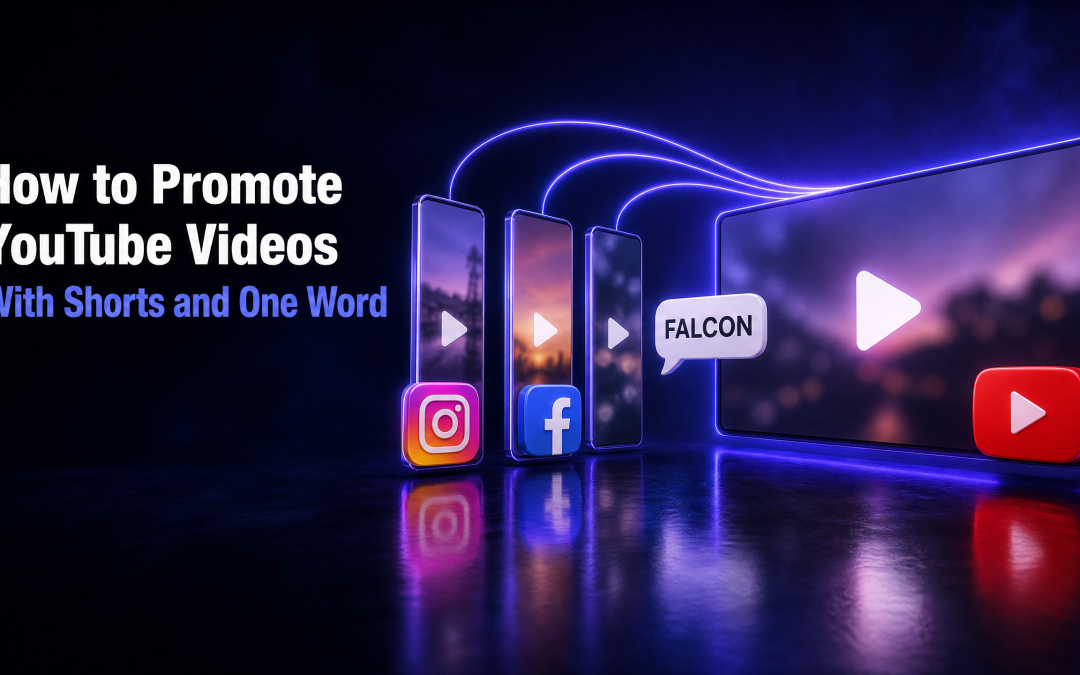
Most advice on how to promote YouTube videos is a list of twenty tactics you will never get round to. I use one system instead, and it runs behind every video I post. Every long video gets three Shorts. Every Short ends on one simple word. Comment that word, and the full video lands in your DMs.
That loop is the front of my lead magnet funnel. It is how I get people from a thirty-second Short into a full video, then into my community and into sales. Below is the whole setup, step by step, including the parts that do not work and how I get around them.
Why Shorts on their own do not promote anything
Shorts are where new people find you. According to the YouTube Blog, Shorts now average over 200 billion daily views. That is a lot of attention, and it is the easiest place for someone who has never heard of you to see your face.
However, there is a problem with how most people make Shorts. Nothing comes after them. Someone watches, if you are lucky, then swipes on and never sees anything else from you. Thirty seconds is not long enough for anyone to trust you.
Trust gets built in the long video. Ten minutes with you, the whole system, the reasoning behind it. That is where people decide to follow, join or get in touch.
So the rule I work to is simple. Every Short has one job: get people to the long video. In turn, the long video has one job: send them to a guide where they leave an email. Followers are rented. An email list is owned.
How to promote YouTube videos with one system, not twenty tactics
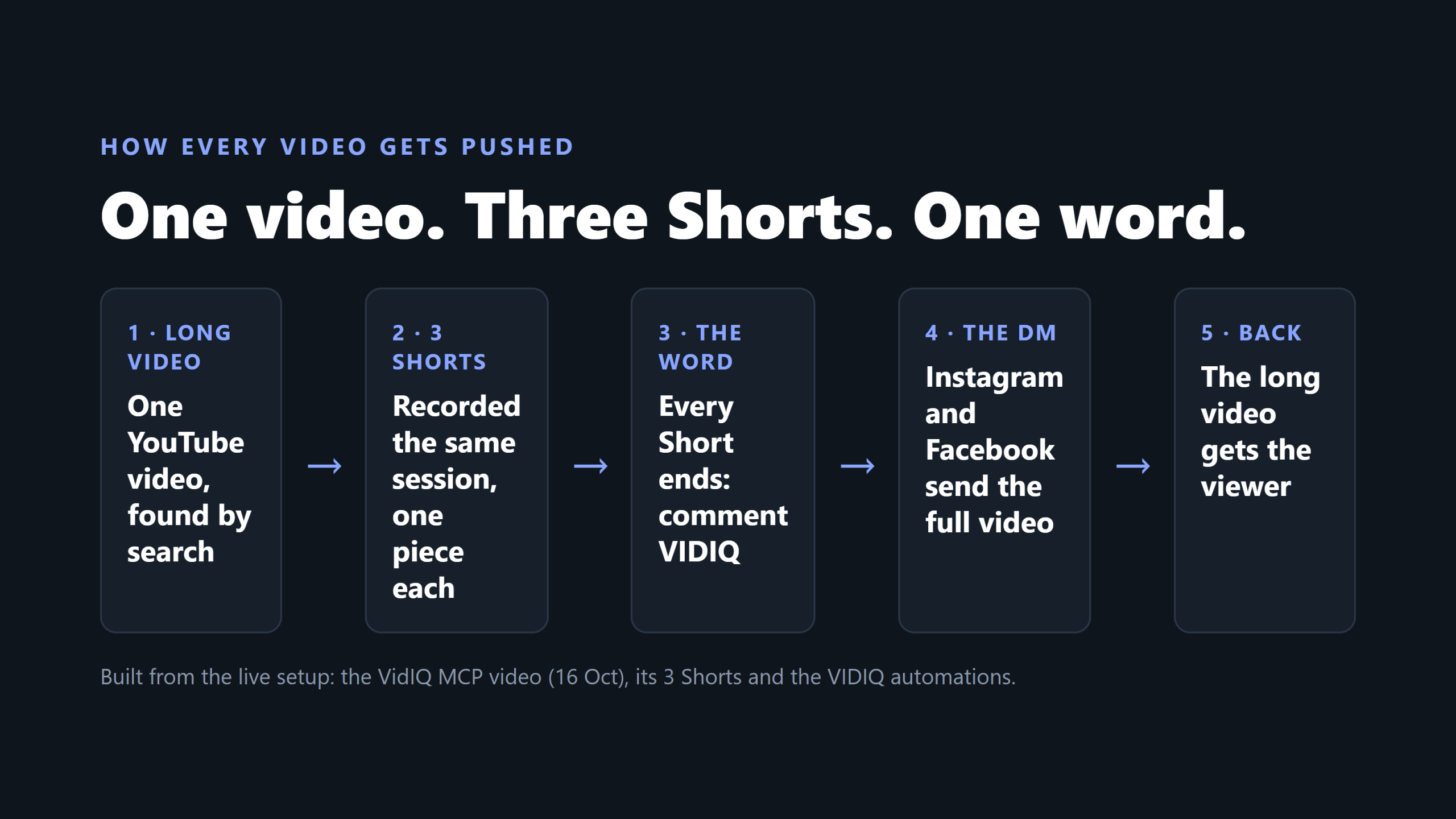
Here is the full map before we go through each part:
- One long video. Ideally found by search, on a keyword people actually type.
- Three Shorts, cut or generated from that video's topic and recorded in the same session.
- One keyword per video, said out loud at the end of every Short and shown on screen.
- An automatic DM on Instagram and Facebook that sends the full video link to anyone who comments the word.
- A related video link on YouTube Shorts, pointing each Short straight at the long video.
When someone clicks that link, YouTube opens and the long video plays. As a result, the Shorts stop being dead ends and start feeding the video that matters.
Step 1: Record three Shorts with every long video
I do not get AI to chop my long video into Shorts afterwards. Sometimes that method works, but often it never really comes out right. The clip loses the context around it, and the result feels cut rather than made.
Instead, I record my Shorts as part of the same filming session. Same setup, same shirt, roughly ten more minutes. The benefit is that everything stays in context. Everything I am talking about is fresh, so each Short sounds like it belongs to the long video, because it does.
Plan the Shorts with the long video
Planning starts before the camera goes on. First, I sit down with AI and work out the general ideas for the video. Next, I get a filming sheet that covers the entire long video plus three or four Shorts. Every Short is tied directly to the long piece, which also makes recording and editing far easier.
Each Short takes one piece of the long video. One step, one result, or one mistake. Never the same piece twice, and never the whole thing. A Short should give a taste, not the full answer. If it answers everything, nobody needs the long one.
Give each Short a title that names the tool and the job
My Short titles name the tool and what it does, for example "VidIQ MCP Scores My Keywords Inside Claude Code". The opinion goes in the text on screen, not the title. That way the title can be found, while the on-screen hook does the selling.
Pick a keyword for the long video
The long video gets a proper keyword before I film it. I use vidIQ for this, and I covered the full process in my vidIQ review. Therefore the Shorts send out little feelers for attention while the long video targets a phrase people are already searching for. The two work together to grow the channel.
Step 2: Give every video one comment word
This is where the automation starts. Once the video and its Shorts are recorded, I build the back end.
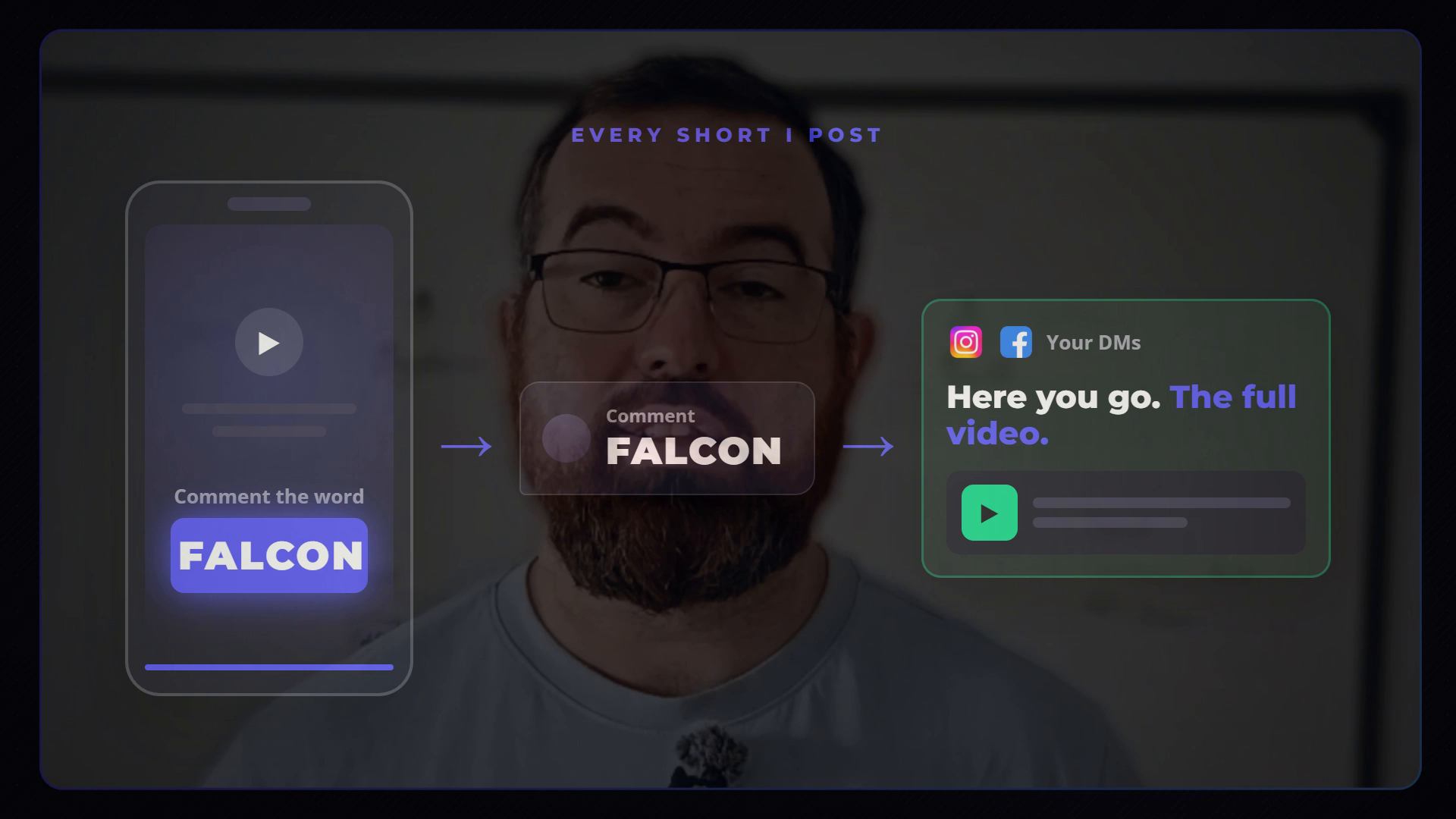
I use a tool called Blotato. It lets me build these automations with a voice command, alongside Claude. In practice, I tell AI: build me an automation for this keyword. In the video I use FALCON as the example. Then, as soon as someone comments that word on Instagram or Facebook, they get sent a link to watch the video.
Why a word and not a link
Nobody leaves a Short to go hunting for a link in your bio. On the other hand, typing one word in the comments takes two seconds. The link then goes straight to the person who asked for it.
I also say the word out loud and put it on screen. If it is only on screen, people miss it. If it is only spoken, they forget how to spell it. Both places, every time.
Keep a ledger of every word
Every automation I build also goes into my Notion dashboard, so all my keywords sit in one list. One word per video, never reused, so a comment never sends the wrong thing. Some words are kept back for my offers.
That list has a second use. When I make more videos on a topic, I can go back, trigger an old keyword again and push people to a video I made six months ago. It is a simple way to keep evergreen content working.
Pro tip: Before you set up a new word, check it against your ledger and against your own captions. A word that already appears in your posts will fire on the wrong comments.
Step 3: Send the comment somewhere useful on each platform
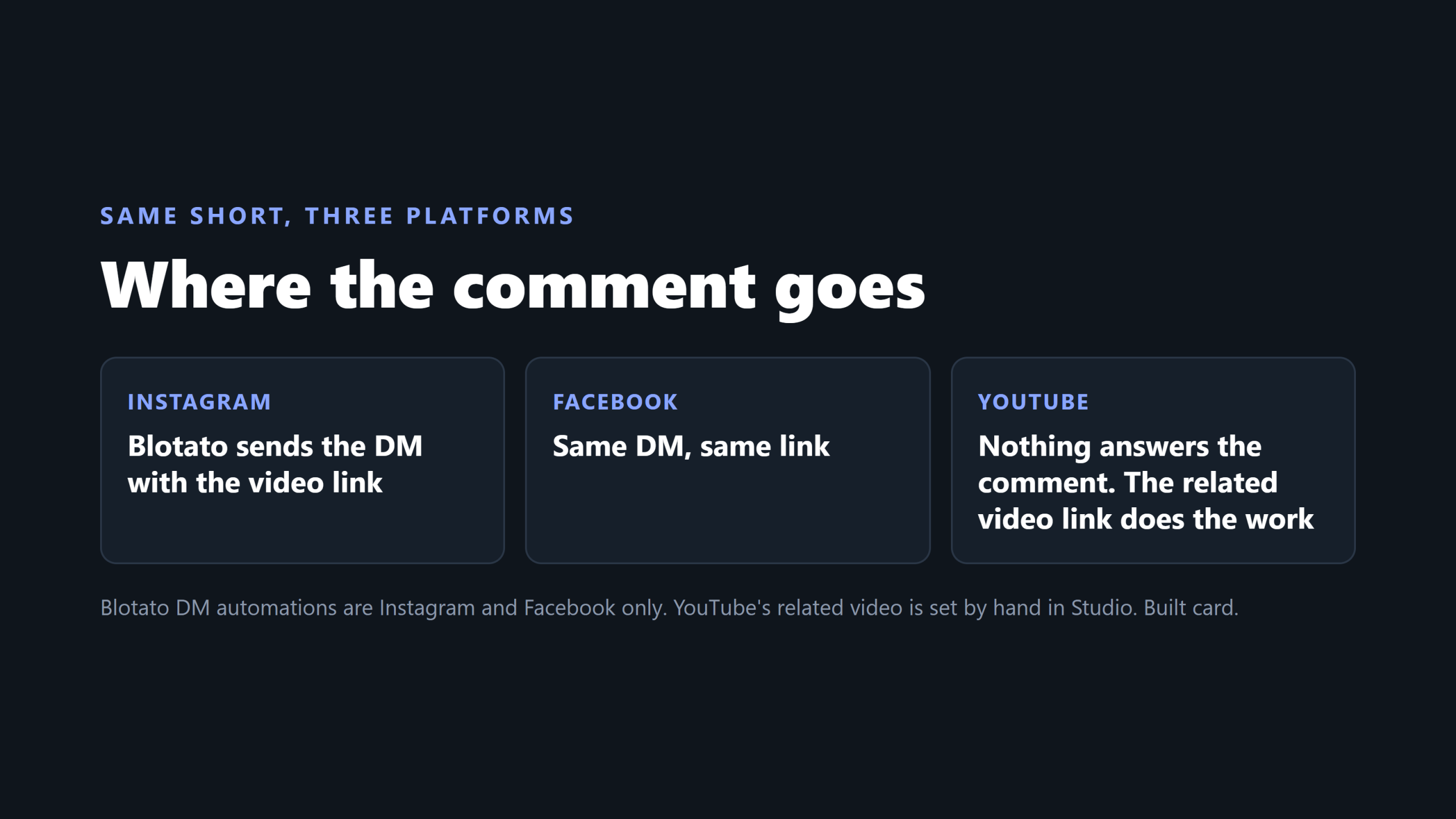
The same Short goes out on Instagram, Facebook and YouTube. What happens after the comment is different on each one.
Instagram and Facebook: an automatic DM
On Instagram, a user comments the keyword. Blotato picks it up in the back end and sends them a DM with the link they asked for. Facebook does exactly the same. As soon as they tap the link, YouTube opens on the video.
You can change where that link goes. It could go to a lead magnet, a landing page or anything else. For a video, though, I keep it to the video.
Crucially, I do not ask anyone to follow me first. It is a free video. Asking for something before giving it just loses people, so the DM carries one button and nothing else.
There is one platform rule to plan around. Under Meta's private replies rules, only one message can be sent to the commenter, and it must go out within 7 days of the comment. Follow-ups are only allowed if the person replies, and only within 24 hours of that reply. Meta also says a commenter who does not follow you gets the message in their Request folder rather than their main inbox. So the first DM has to carry the link. You do not get a second go.
YouTube: the related video link
YouTube is different. Nothing reads the comments and replies for you. Instead, YouTube has a feature built into its system that lets you link a Short to a video.
For example, I made a video on the vidIQ MCP and three Shorts to go with it. Each of those Shorts links directly to that video. So anyone who sees one of the Shorts and gets interested is one tap away from the full thing.
YouTube Help describes it as a related video that "allows you to showcase your Videos, Shorts, and Live in the Shorts player". Viewers see a clickable link below your channel handle. To set it:
- Sign in to YouTube Studio.
- Select Content from the left menu.
- Click the Short you want to edit.
- Choose a Related Video from your channel.
- Click Save.
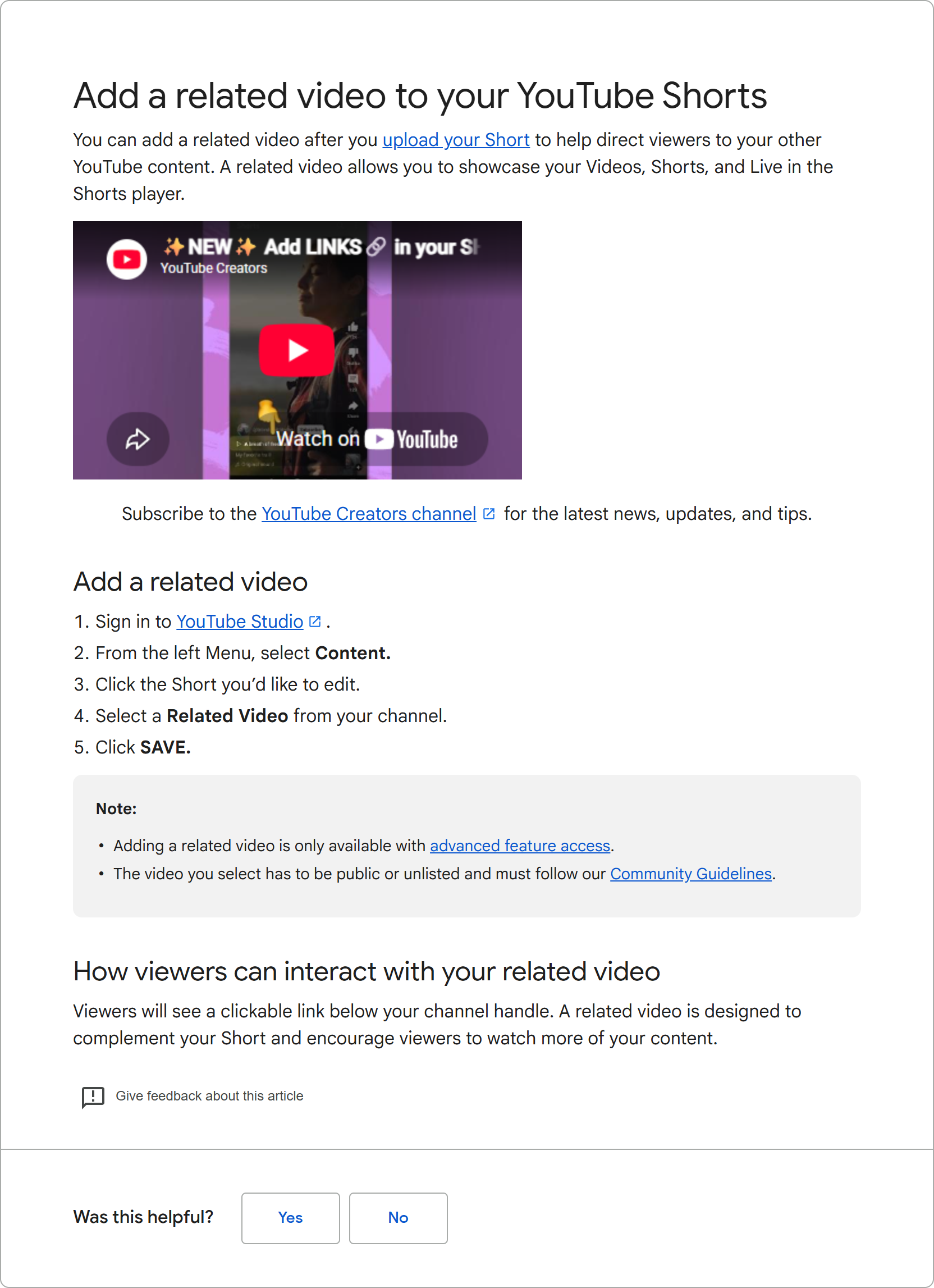
Two conditions apply. You need advanced feature access, and the video you link has to be public or unlisted. It also cannot be set at upload, so go back into Studio after every Short goes live.
Step 4: Hand viewers from the video to a guide and an email
The long video is the middle of the funnel, not the end. It is the same funnel behind every piece of content and every post I make: Short to video, video to guide, guide to email.
Inside the long video, I offer a guide that goes with it. Someone comments a keyword, and Blotato sends them the link in a DM. That link opens a guide page. The first part is free to read. For the rest, they enter their email.
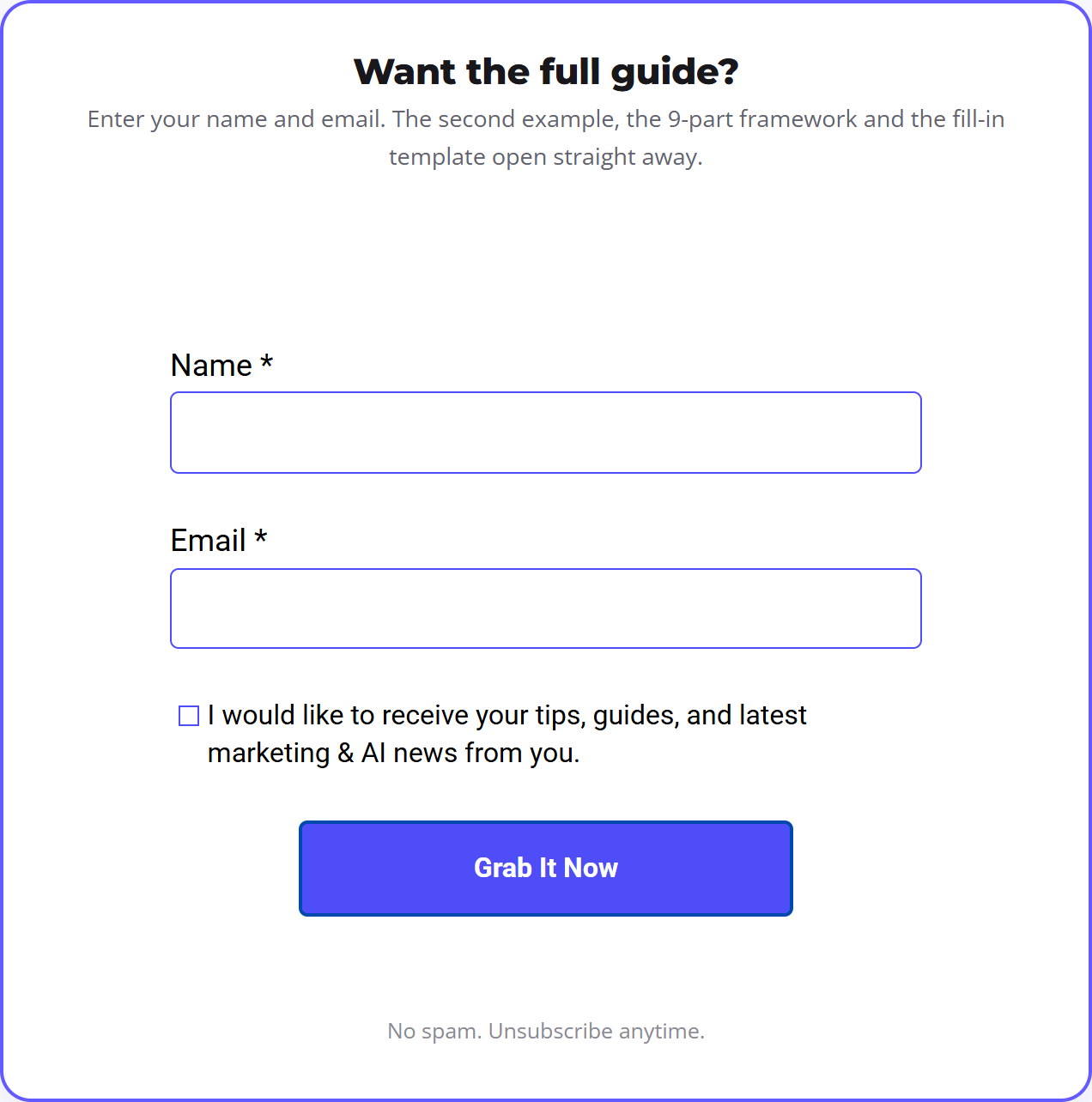
Once they enter their email, they are added straight to my email list. Then the very first email they get links to the library of every lead magnet I have built, as well as the one they originally asked for. I wrote more about how those pages are put together in my guide to the lead magnet landing page.
Why bother with email at all? Because it is the one channel you own. In the Litmus State of Email 2025 survey of nearly 500 marketing professionals, 35% reported a return of between 10 and 36 times their email spend, and a further 30% reported between 36 and 50 times. That return only exists if you have the email addresses in the first place.
The catches nobody mentions
This system works, but it has limits. These are the ones that matter.
YouTube has no keyword automation
Someone who comments the word on YouTube gets nothing back automatically. That is why the related video link matters so much. It is fairly decent when it is set up properly, but it is not the same as a DM.
TikTok is not supported
Instagram and Facebook work perfectly. If you also post to TikTok, though, this automation will not run there. If you get a lot of comments, you are left sending the link by hand, which defeats the point.
Pick odd words
Blotato matches the keyword anywhere in a comment, not only as a whole word. So do not pick obvious words. A common word like IMAGE can fire on a comment that says "nice image" and send someone a guide they never asked for. Pick random, odd words you would never use in your posts or conversations. FALCON works. DESIGN does not.
Say it out loud
A word that only appears on screen gets missed. Say it at the end of every Short, every time.
What about the YouTube Promote button?
YouTube Studio also has a Promote option, which runs your video as a paid Google Ads campaign. That is a separate route with its own budget. Everything in this article costs time and a scheduling tool, not ad spend.
What to do this week
The key thing to do today: if you are already making long videos, make Shorts that support them. Think of each Short as another fishing rod in the water. Each one catches a little attention from a different place, and all of it points back to the long video.
Most people make a long piece of content and walk away from it. Instead, give it a support crew:
- Next time you film a long video, record three Shorts straight after. One piece of the video each.
- Give the video one odd word. Say it at the end of every Short and put it on screen.
- Set up the DM on Instagram and Facebook, and add the related video to every Short on YouTube.
Who should not bother yet? If you are not making long videos, there is nothing for the Shorts to point at. Make the long one first.
If you want help putting this together, including the AI side and the traditional marketing side, I walk through it inside The AI Marketing Hub, which comes with a 7-day free trial.
Frequently asked questions
How do I promote my YouTube videos without paying for ads?
Use Shorts as feeders. Record three Shorts with every long video, each covering one piece of it. End every Short on one comment word that triggers an automatic DM with the full video link on Instagram and Facebook. On YouTube, set each Short's related video to the long video in YouTube Studio. The only cost is your time and a DM automation tool.
Can I link a YouTube Short to a long video?
Yes. In YouTube Studio, open Content, click the Short, choose a Related Video from your channel and save. Viewers then see a clickable link below your channel handle in the Shorts player. YouTube says you need advanced feature access, and the linked video must be public or unlisted. It cannot be set at upload, so do it after each Short is live.
Does comment to DM automation work on YouTube?
No. Tools like Blotato send keyword DMs on Instagram and Facebook only, and TikTok is not supported either. On YouTube, nothing replies to a comment automatically. The related video link on each Short does that job instead, pointing viewers straight to the full video.
How many Shorts should I make for each long video?
I make three for every long video, recorded in the same session straight after the long one. Each Short takes a different piece of the video, such as one step, one result or one mistake. Three gives the long video several ways to be found without the Shorts repeating each other.
Disclosure: Some links in this article are referral links. If you use one, I may earn a commission at no extra cost to you. I only link to tools I actually use.
How this was made: The facts, numbers and examples in this article come from my own work and videos. I use AI to help draft and structure the writing, then I review and edit every line myself before it goes live.

About the author
I'm Wayne St Ledger, and I run St Ledger Marketing. I started out in construction as a plasterer, then went on to a Bachelor's in Marketing and a Master's in International Business, which is where my bias toward results over talk comes from. I help business owners build marketing systems they actually understand, using AI in grounded, practical ways rather than hype. I also run a YouTube channel on marketing and AI, and The AI Marketing Hub, my own community for business owners and marketers putting AI to work properly.