If you are searching for a Notion alternative, you are probably expecting a list of other apps to sign up for. This is not that. I used Notion for five or six years, and when the yearly renewal came round I did not swap it for another app. I built the one part I actually used with Claude, and I did the same with CapCut, Bitly and Calendly.
Between the four of them I was paying over €900 a year. Now the work they did runs on one Claude Pro plan at €18 a month. Below is what each app did for me, what replaced it, and where building your own falls down, because it does.
Why I stopped renewing four apps at once
I tend to pay for my tools yearly, and I like to sort them all out before Black Friday. So I sat down with the list of renewals and went through them one by one.
The question I ended up asking was not "is this a good app?" or "is there a better platform?". All four are good apps. The question was "am I using it at all, and do I need any part of it?". The honest answer was that I used one small slice of each, and over the last 12 months Claude had already started doing most of those slices for me.
Here is what the four cost on their own pricing pages, checked from Ireland on 23 October 2026, before tax:
| App | What I used it for | Yearly list price |
|---|---|---|
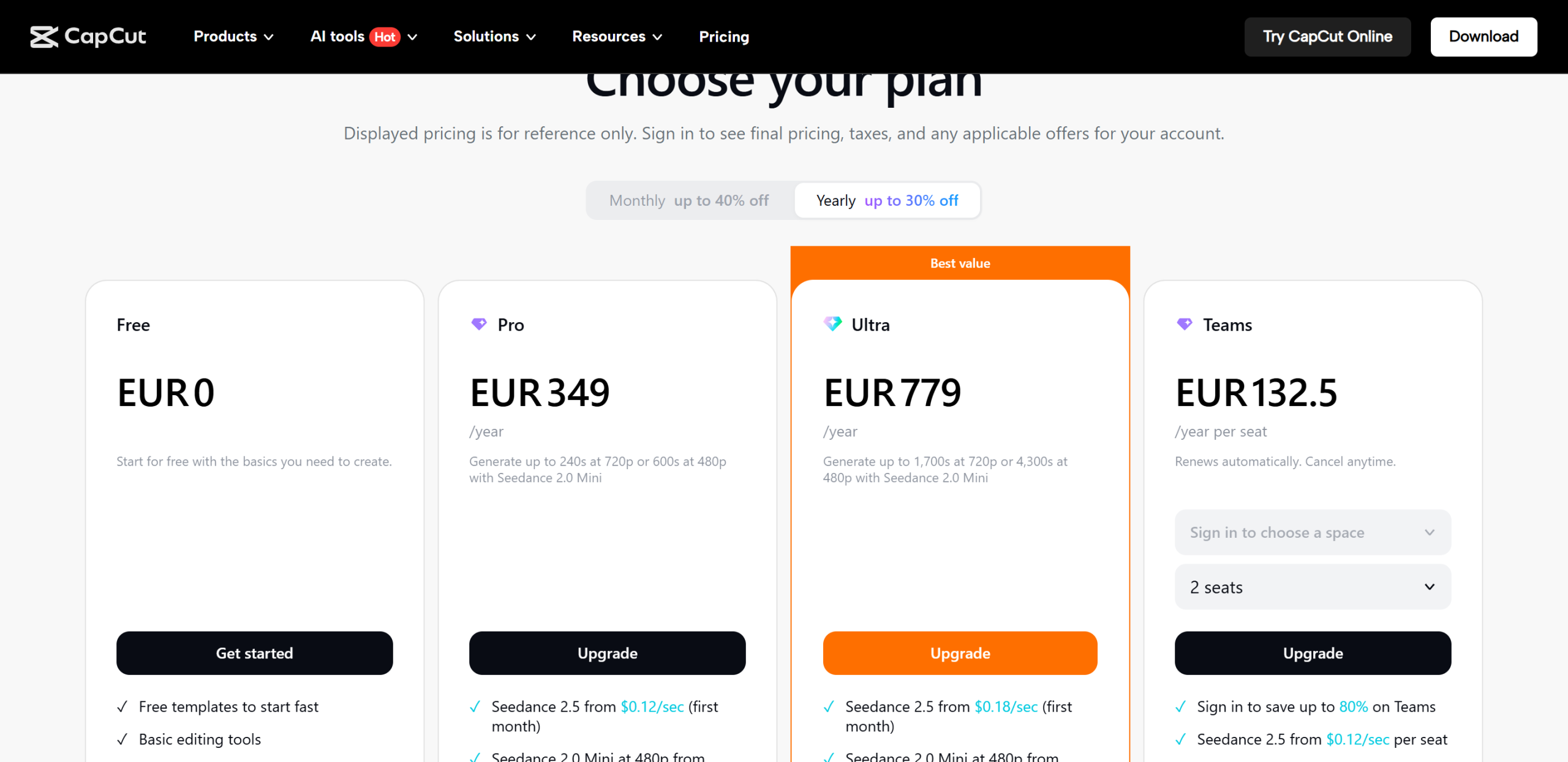
| CapCut Pro | Editing every video, mainly for captions | €349 |
| Notion Plus | Storing links, lead magnets, notes and to-dos | €114 (€9.50 a month, billed yearly) |
| Bitly Growth | Short links that count clicks | €348 (€29 a month, billed yearly) |
| Calendly Standard | One booking page | $120 ($10 a month, billed yearly) |
| Claude Pro | All of the above, built by me | €18 a month, billed monthly |
Calendly only lists its price in dollars, which is why I say "over €900 a year" rather than an exact total. Claude Pro is €15 a month if you pay for the year up front, and €18 a month billed monthly, according to Claude's pricing page.
The Notion alternative: plain folders and my own HQ
Notion was where I kept everything I might need to grab quickly. If someone asked for a link, a lead magnet or one of my offers, I would open Notion, find the page, copy the link and go back to whatever platform they were on. It worked. It was also costing me over a hundred euro a year for what had become a filing cabinet.
So I asked myself whether I really needed it, and the answer was no. Two things replaced it.
1. Plain folders that Claude reads. My ongoing work now lives in ordinary folders on my computer. Each project has one tasks file with a dated log at the bottom. When I come back to a project, Claude reads the log and picks up where we left off, so I am not explaining everything again. The place I store things is now the place Claude reads. If you want to set up something similar, I explain the folder structure in how to organise your files for AI.
2. My own HQ. On top of the folders, I built a single page called St Ledger HQ with Claude. It holds everything I might need on the go: lead magnet links and the comment keywords that trigger them, my core offers, my to-do list and ideas that pop into my head. It is laid out the way I want it, and it saves me clicking around three different apps.
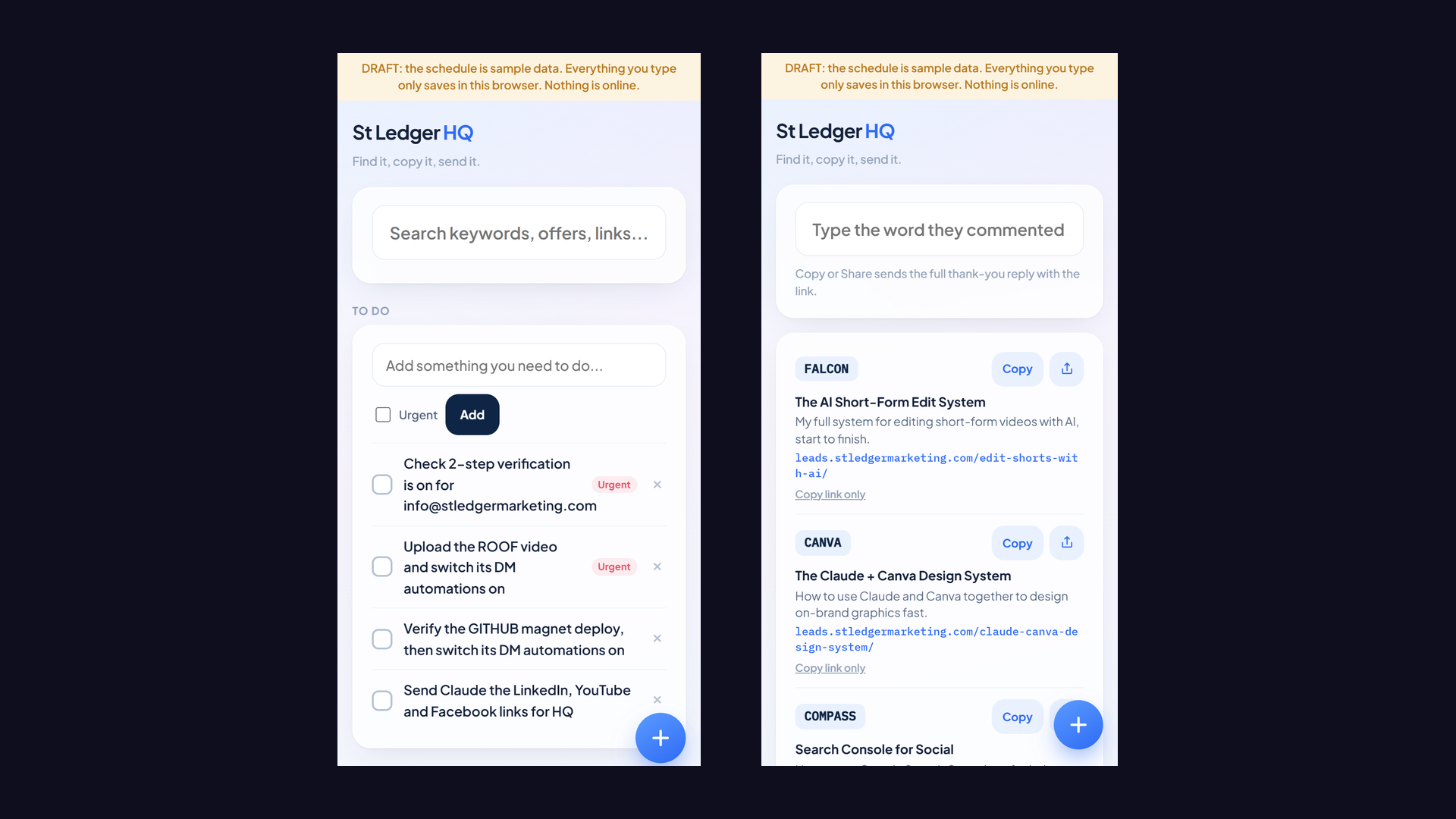
The feature I use most is the lead magnet sharing. Say someone comments the word FALCON on one of my YouTube videos. Before, I had to open Notion, find the guide, copy the URL, go back to YouTube and write a reply. Now I open the HQ on my phone, type FALCON, and a full message is ready: "Hi, thanks very much for the comment, I hope this guide helps you with your video editing", with the link included. Copy, send, done.
The HQ is hosted on Firebase, Google's app platform, so it lives on a web address I own. I can save it to my phone's home screen like an app.
The CapCut alternative: Claude Code edits every video
CapCut was the app I opened most. I started on the free version and quickly had to upgrade because I needed captions. CapCut Pro is €349 a year on its own pricing page.
Slowly, I started replacing it. Now every single video I make is edited 100% with Claude. I do not open CapCut to do a little bit of work myself any more. It is not needed.
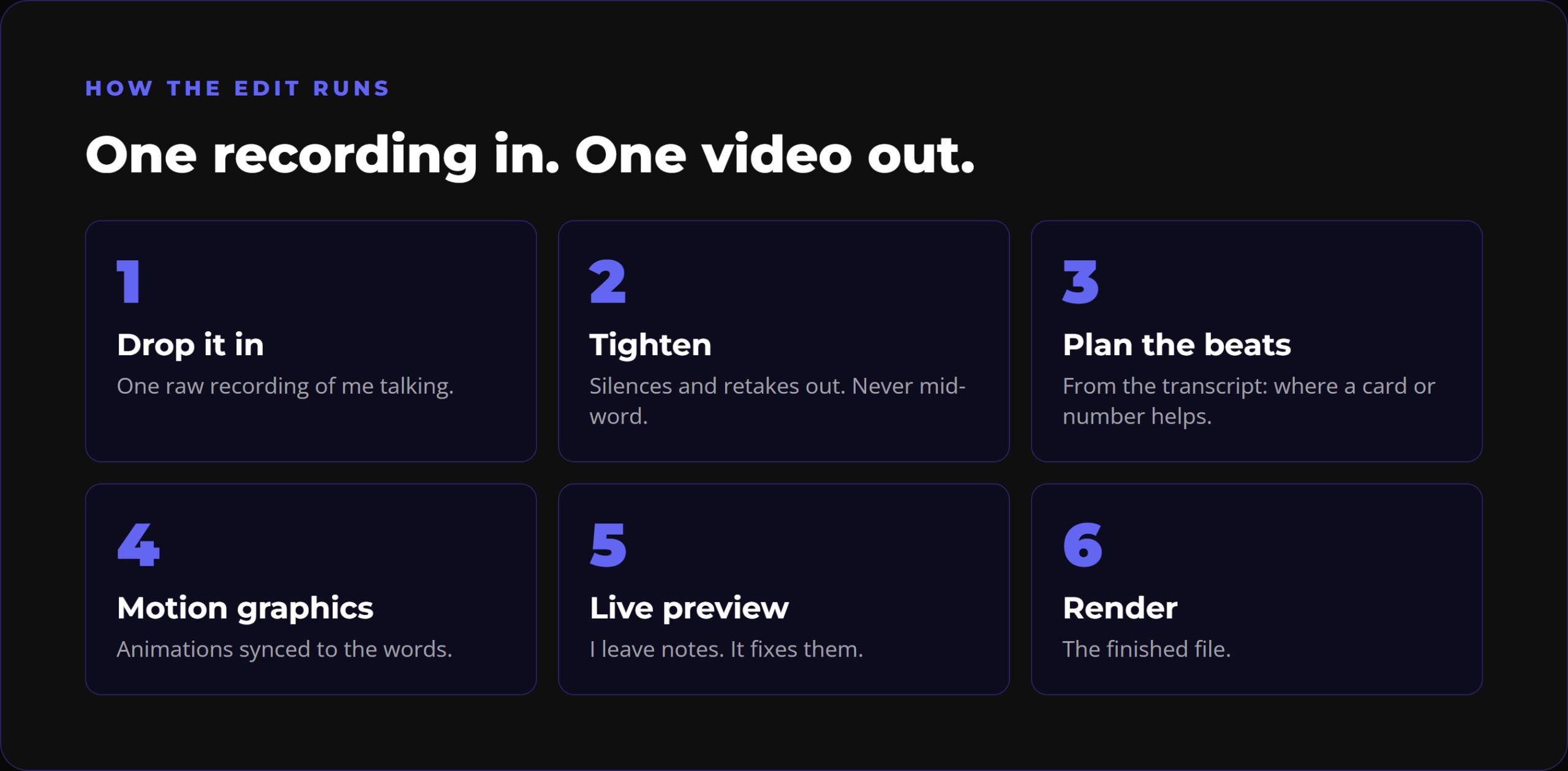
The way it works: I hand Claude Code the video I have just recorded and tell it to edit the long-form piece. It transcribes the recording, cuts out the mistakes and the dead space, and adds the motion graphics, cards and images. Before anything renders, I watch a preview in my browser and type what I want changed.
The limit is usage. On Claude Pro you get a five-hour usage window, and in one of those windows I can edit about two to three videos before I max out. For my weekly YouTube content, that is enough. I go deeper on the editing setup in Claude video editing.
The Bitly alternative: my own tracked short links
If you do any marketing, you need to know which platform is actually sending people where. That is what I used Bitly for, and the Growth plan lists at €348 a year.
So I built my own way to track links with Claude. It took a bit of back and forth to get it 100% up and running, but it works. My short links run on my own web address, and every click is counted on my own dashboard.
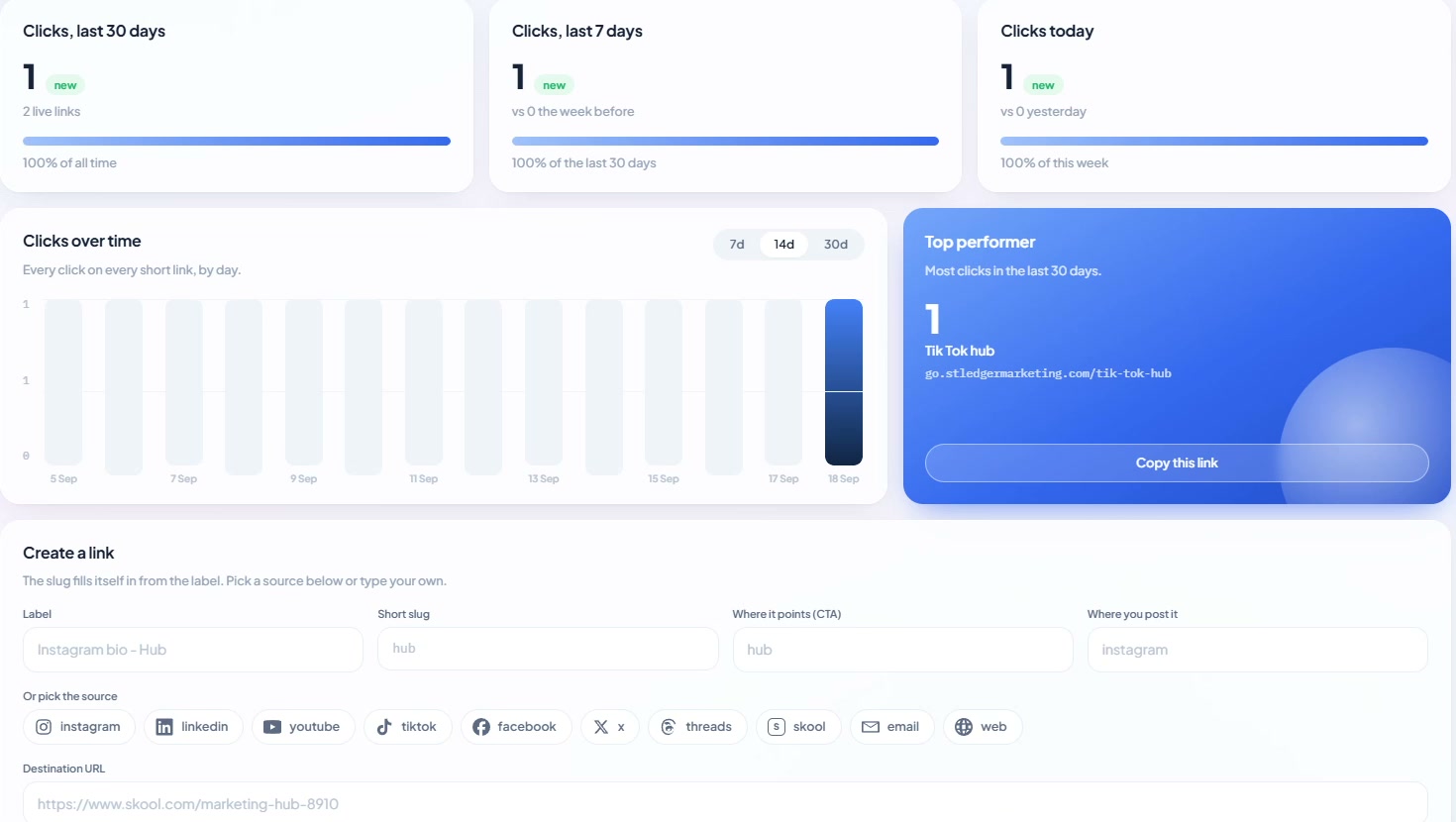
For me, the main job is sending people to my community, the AI Marketing Hub. Each link is tagged with where it lives: the Instagram bio, a comment DM automation, a YouTube description, TikTok. So I can see which platforms are sending traffic and which ones are doing nothing for me. If there is something I really want to push, I give it its own link and watch exactly how many clicks it gets.
To be fair to Bitly, you do not strictly need a paid link tool for this. Free campaign tagging in Google's own tools will tell you a lot. What I wanted was to keep my links on my own domain and see everything in one place.
The Calendly alternative: still moving over
Calendly is the last one, and I am still in the middle of moving across.
All Calendly was doing for me was connecting to my calendar, offering booking slots and taking payments. My replacement does the same: I have Stripe connected to a new booking calendar, someone books a call and pays, and the booking lands in my Google Calendar.
There are a few small things I need to get 100% right before I fully switch over. That is my next step, because I will not be paying for these yearly plans again. It is also a good reminder that some swaps take a weekend and some take a few weeks.
Where building your own breaks down
This is not all upside. There are three catches, and you should know them before you cancel anything.
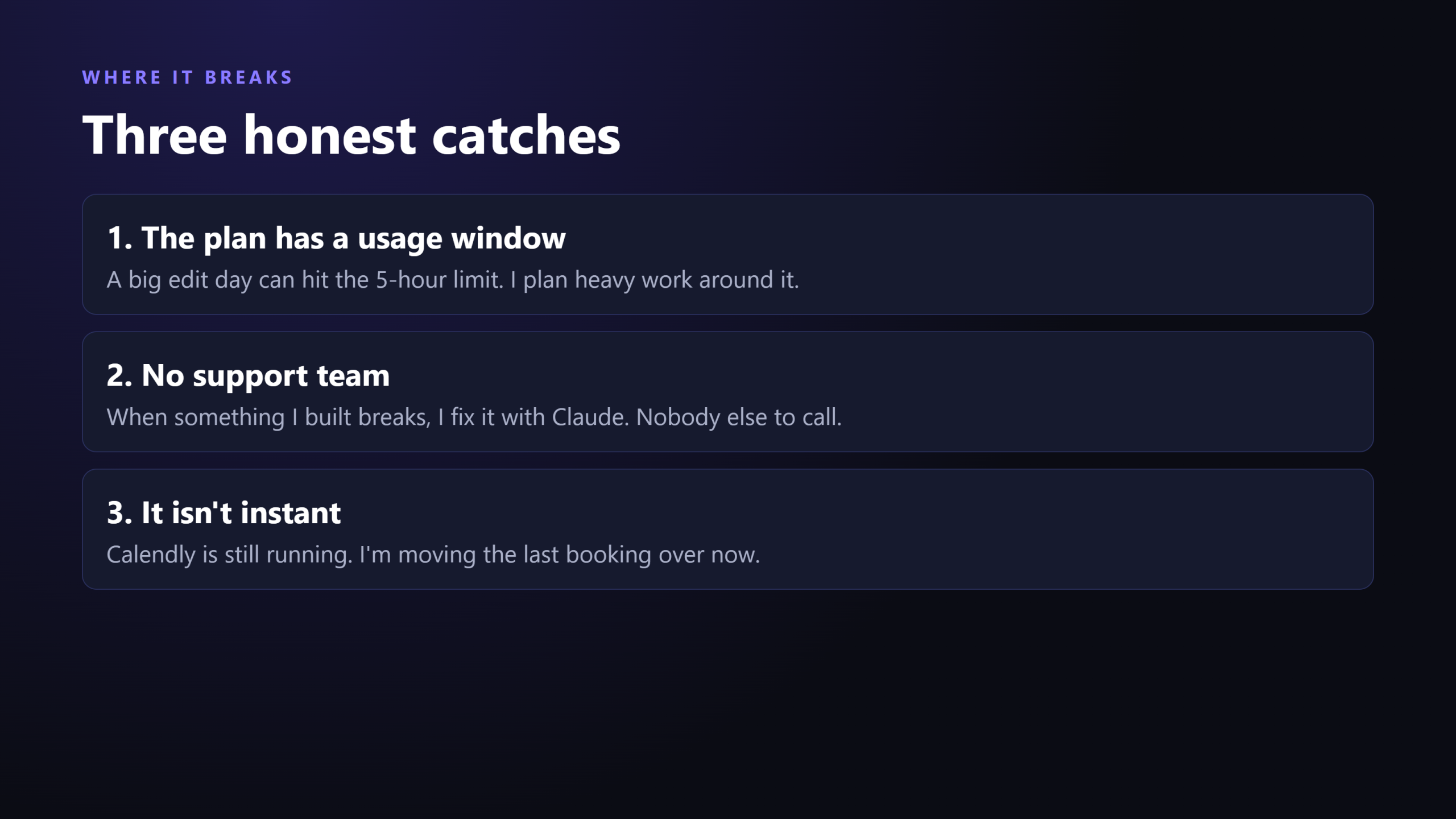
1. Usage limits. Building these tools takes Claude usage, so you can only do it in stages. I do most of my building closer to Friday, Saturday and Sunday, when I have less on. I can do a bit, walk away and come back to it. If you want to know how the plans compare, I cover the limits in Claude Opus pricing.
2. No support team. If something goes wrong in Calendly or Notion, you can contact their support and someone fixes it. When something I built breaks, I am the support team. In my experience Claude does about 90% of that fixing for me, but some people will want a real person to call, and that is a fair reason to keep paying.
3. It is not instant. Calendly shows that. A replacement has to be built, tested and trusted before you switch the old one off.
One more cost to be honest about: hosting. I use Firebase for everything I build. It has a free tier that covers a lot of usage before you pay anything, and after that it is pay as you go. So it is cheap to start, but it will not stay free at any size.
Should you replace your Notion subscription?
It comes down to one thing. If you dislike fixing and building things, keep paying for the app. If you do not mind fixing and building things, it is worth doing.
Keep paying if you only open the app once a month, or if a whole team works inside Notion together every day. Notion's sharing and collaboration are not something you rebuild in a weekend. Do it if you are paying yearly for an app you only use one slice of.
For me, as a small business owner, it made no sense to spend over €900 a year on tools when I can build the part I use, have it running in the background, and put that money to better use. I may move up to the Max plan soon to get more usage, but for now I am on Pro.
If you want to try it, start small this week:
- List your yearly renewals, with the price next to each one.
- Write down the one feature you actually use from each app.
- Ask Claude to build that one feature first. Not the whole app, just the slice you pay for.
If you want help building tools like these for your own business, I walk through it inside The AI Marketing Hub, which comes with a 7-day free trial.
Frequently asked questions
What is the best Notion alternative for a small business?
If you only use Notion to store links, notes and to-dos, the cheapest alternative may be one you build yourself. I replaced Notion with plain project folders that Claude reads, plus one phone page called St Ledger HQ that holds my lead magnets, offers and to-do list. If your whole team works in Notion every day, a ready-made app is still the better choice.
Can Claude replace Notion?
For one person storing information, yes. Claude cannot be Notion out of the box, but Claude Code can build you a simple page or app that does the part of Notion you use. Mine took the place of a Notion Plus plan that lists at €114 a year.
How much can you save by replacing apps with Claude?
I was paying over €900 a year for CapCut, Notion, Bitly and Calendly at their yearly list prices. The work they did now runs on Claude Pro at €18 a month billed monthly, plus Firebase hosting, which has a free tier before pay-as-you-go pricing starts.
Is there a Bitly alternative that tracks clicks?
Yes. I built my own short-link tracker with Claude. Each link runs on my own domain and is tagged with what it points at and where it was posted, so I can see which platforms send traffic. Bitly's Growth plan lists at €348 a year.
What are the downsides of building your own tools with AI?
Three: usage limits on your Claude plan, no support team when something breaks, and the time it takes to build and test a replacement before you switch the old app off.
Disclosure: Some links in this article are referral links. If you use one, I may earn a commission at no extra cost to you. I only link to tools I actually use.
How this was made: The facts, numbers and examples in this article come from my own work and videos. I use AI to help draft and structure the writing, then I review and edit every line myself before it goes live.

About the author
I'm Wayne St Ledger, and I run St Ledger Marketing. I started out in construction as a plasterer, then went on to a Bachelor's in Marketing and a Master's in International Business, which is where my bias toward results over talk comes from. I help business owners build marketing systems they actually understand, using AI in grounded, practical ways rather than hype. I also run a YouTube channel on marketing and AI, and The AI Marketing Hub, my own community for business owners and marketers putting AI to work properly.