Claude Tutorial for Small Business: AI Employee in 1 Hour
Fifty-eight percent of small businesses now use generative AI, up from 40 percent a year earlier, according to the U.S. Chamber of Commerce. Adoption is nearly doubling every two years. If you are still on the fence, this is the moment to move, and this Claude tutorial for small business shows you how to do it without touching a line of code. The goal is not another chatbot you talk to and forget. The goal is an AI marketing employee that knows your business and does the work you keep putting off.
Here is the full walkthrough the article is based on, if you would rather watch it done end to end:
Stop Treating AI Like a Chatbot
Most people use AI the slow way. You ask ChatGPT for a social post, it hands you something generic, you tell it that is the wrong industry, wrong tone, wrong colours, and you fix it by hand. Tomorrow you open a blank chat and do the whole thing again. That is not a system. That is a slightly faster way of starting from scratch every single day.
The problem is simple. The chat knows nothing about your business. It has no memory of your brand, your voice, your offers or your customers, so it defaults to the average of the internet. Every request starts cold.
An AI employee works the other way around. You explain your business to it once, properly, the same way you would brief a new hire on their first morning. After that it does not need the briefing again. Tell it your colours are orange and yellow and it stops reaching for red and green for no reason. This is the same shift I cover in more depth in our guide to Claude Desktop for small business: the value is not the chat, it is the context you give it once.
What You Need Before You Start
You do not need a technical background. I qualified as a plasterer before I ever worked in marketing, and I still do not write code. I tell the tool what I want, and if it gets it wrong, I tell it to fix it. That is the whole skill.
For this setup you need a Claude account and one of two ways of working with it:
- Claude Desktop (or Cowork) is the easier entry point if you are newer to AI. It gives you a clean window where you can see what is happening and hand it files.
- Claude Code gives you a folder-based workspace where you can see every file, every input and every output. I prefer this because I like watching the folders fill up, but it is not required to start.
Both work. Pick the one that feels less intimidating and move on. Do not spend a week choosing a tool. The point of this Claude tutorial for small business is to get something real built, not to research setups forever.
The Claude Tutorial for Small Business, Step by Step
The core of the whole thing is building the brain first. Before your AI employee does any work, it needs to hold everything a good hire would carry in their head after a few weeks on the job.
Set it up in this order:
- Give it your brand. Your voice, your tone, your colours, your logos, your guidelines. This is what stops the generic output. Once it has this, it will not deviate.
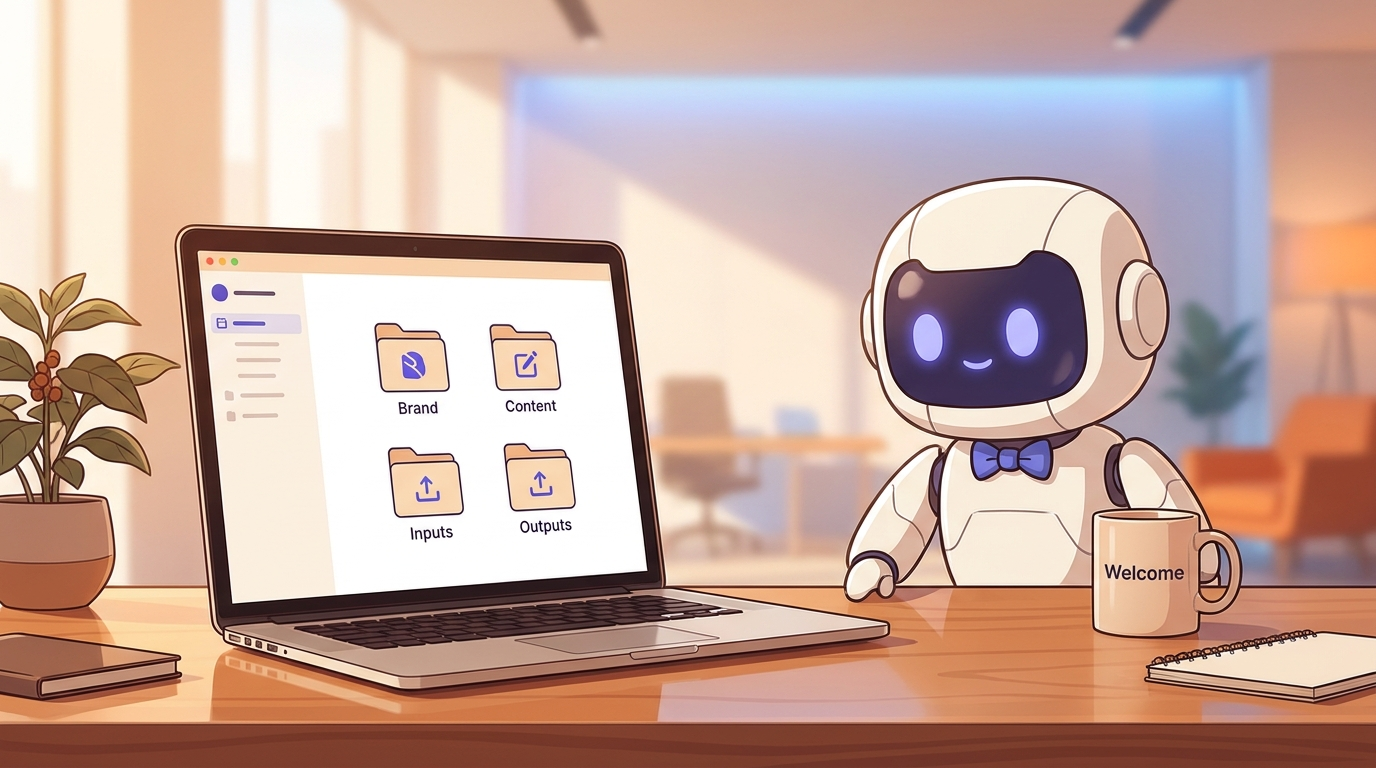
- Build your folder structure. A place for your brand files, a place for content, a place for inputs (raw material you feed in) and a place for outputs (finished work it produces). Structure is what turns a clever chat into a repeatable system.
- Point it at one real problem. Do not hand it random busywork that takes you two minutes anyway. Give it the thing that genuinely eats your week. For most small businesses, that is content.
Treat it like an actual hire, because that framing changes how you set it up. You would not hand a new team member ten unrelated tasks on day one and expect brilliance. You would explain the business, show them where things live, and give them one clear job to prove they can do it. Do the same here. Write your brand down properly rather than in half a sentence. Name the folders in plain language. Give it a real brief, not a vague wish.
The reason this matters is durability. You are not looking for one good answer today. You are building something that keeps knowing your business tomorrow, next month and next quarter, so you never have to repeat yourself. Setup is a one-time cost, and the return compounds every week after. If you want the wider view on what actually pays off, we cover it in AI for Irish small business owners.
Give Your AI Employee Its First Job
The fastest way to see the point of all this is to have something finished at the end of the first week. So the first job is content, because content is the problem nearly every small business shares.
Your AI content team handles the basic building blocks: carousels, reels, b-roll, simple edits. It takes one core piece of content, in my case a YouTube video, and breaks it into many smaller pieces you can spread everywhere. That widens your digital footprint, which means more traffic, more clicks and more visibility, all from work you already did once. This is the same principle behind the content repurposing system I run every week.
The important part is that you get an outcome you can see. Once you watch one video turn into a week of posts, the whole idea stops being abstract and starts being obvious.
Four Jobs Your AI Employee Can Do
Content production is the entry point, not the ceiling. Once the brain is built, the same AI employee can take on four jobs that would normally need a small team:
- Content production. Turning one idea into many finished pieces across platforms.
- Competitor research. Scraping what your competition publishes on their site, blog and social channels, then summarising the patterns: what topics they lean on, how often they post, where they are quiet. You stop competing in the dark and start choosing your angles on purpose, targeting the gaps they are ignoring instead of copying what they already own.
- Reporting and analytics. Pulling the numbers from your accounts into one dashboard. My own AI employee analysed my YouTube channel and showed me plainly that shorts were driving views but not subscribers. So I cut back on shorts, saved myself time, and my growth did not suffer. That is a decision I would have guessed at without the data.
- Lead generation. Finding real prospects with real contact details, which is where this gets genuinely interesting for a local business.
Reporting deserves a special mention. AI gives marketers back around 13 hours a week, roughly a third of a working week, according to a study reported by Forbes. A clear view of what is actually working is a big part of where that time comes from.
A Real Example: Local Leads in About 20 Minutes
Here is the job that tends to convince people. I built a lead scraper inside Claude that pulls local businesses in a chosen industry and area, with their details attached.
I am based near New Ross in County Wexford, so I pointed it at auctioneers and estate agents in my own area. Within minutes it came back with a list: business names, addresses, categories, ratings, phone numbers and, where they were publicly listed, email addresses. Phone numbers alone are the useful part, and there were plenty. Each row linked straight out to the business on Google Maps so I could check it was real.
Then came the part most people get stuck on: what do you actually do with a list? So I had the tool write a personalised outreach email for each one. Not a generic blast. A short, specific note that referenced their listings and offered them a genuinely useful idea. From a cold spreadsheet to ready-to-send outreach in a few seconds.
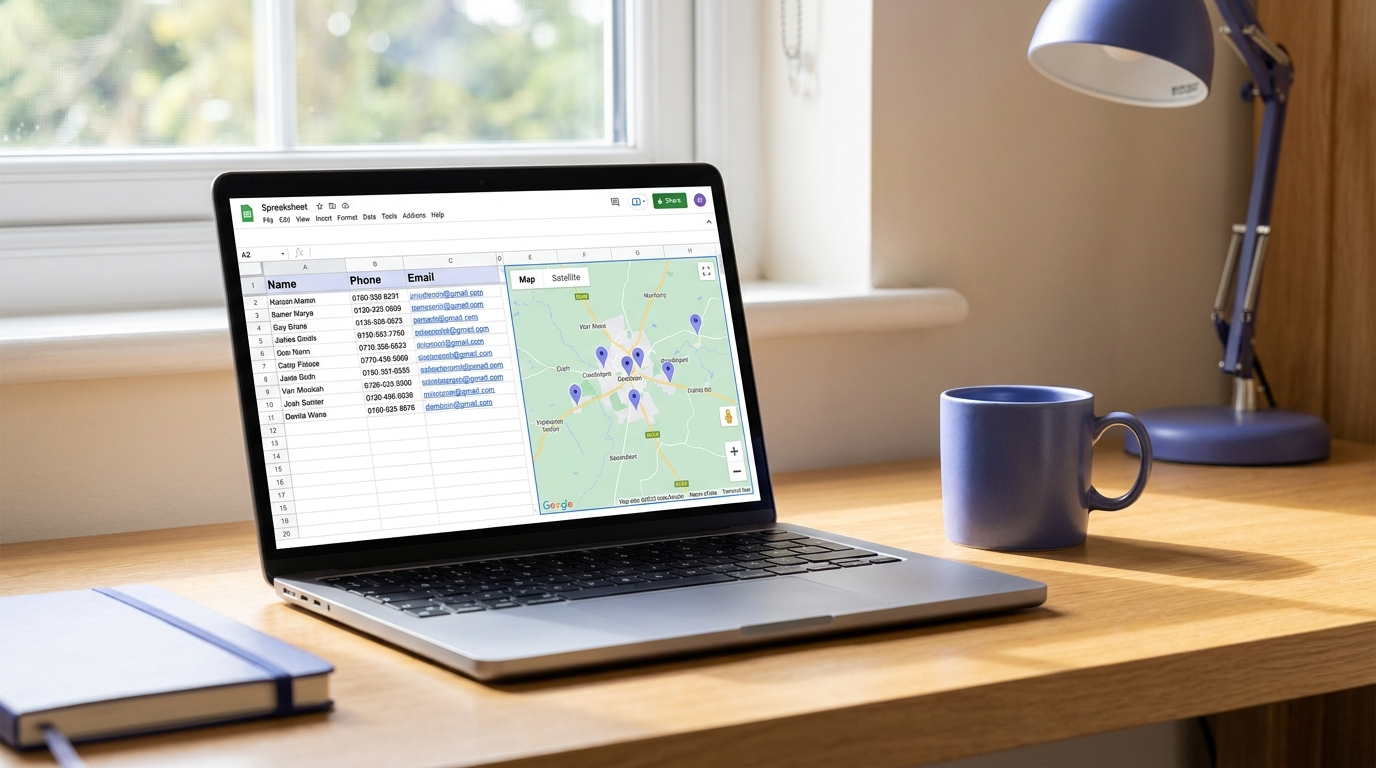
The whole lead scraper, from idea to working tool, took me about 20 to 30 minutes. And it opens two doors at once. It could become a small app you sell, or it could be the lead magnet an agency uses to win clients. One simple fix, two ways to make money from it.
The next step, once the system works, is to start replacing the manual bits. Instead of me feeding it information each time, I give it a short brief up front and it runs the research, the scraping and the drafting on its own. You build the system by hand first, then hand the repetitive steps back to the machine one at a time.
One Hour Today or Seven Days
You can fast-track this in an hour, or spread it across seven short sessions of setup. Either way, the pattern is the same: sit down once, get it done, and stop repeating yourself to your tools.
This is not hype, and it is not AI magic. It is a system that saves you time immediately and keeps saving it. The numbers back it up. Small businesses using AI are around 20 times more likely to report a revenue increase than a decline, according to the Intuit QuickBooks 2026 AI Impact Report. And 41 percent of owners say AI frees them to spend more time actually growing the business, according to the Small Business and Entrepreneurship Council.
The businesses that set this up now are the ones moving ahead in their industry while everyone else is still asking a blank chat window for a social post. If you want the setup done with you, step by step, and a community of business owners doing the same, you can become a member and get ongoing support as you build your own AI employee.
FAQ
Do I need to know how to code to follow this Claude tutorial for small business?
No. You never write code. You describe what you want in plain English, and if the result is wrong, you tell Claude to fix it. The only real skill is being clear about your business, your brand and the problem you want solved. Setup takes about an hour, or a week of short sessions if you prefer to pace it.
What is the difference between an AI employee and just using ChatGPT?
A normal chat starts cold every time and knows nothing about your business, so it gives generic answers you have to correct by hand. An AI employee is set up once with your brand, voice, colours and files, then remembers all of it. It produces work that fits your business from the first draft, without you re-explaining yourself every day.
What can an AI marketing employee actually do for a small business?
Four main jobs: producing content across platforms from one core piece, researching competitors, pulling your analytics into a clear dashboard, and generating leads with real contact details. It will not replace your judgement, and you stay in control, but it removes the repetitive heavy lifting that normally eats your week.
How long does it take to set up an AI employee?
You can build a working version in about an hour if you fast-track it. Most people are better off spreading it across roughly seven short sessions, because the setup steps (your brand, your content plan, your structure) are the parts that make everything else work. Rushing those is the one thing worth avoiding.
Is this suitable for a local business in Ireland?
Yes. The lead generation example in this guide targeted auctioneers around New Ross and Wexford and returned local phone numbers and addresses in minutes. The same approach works for any industry and any area, because you tell it where to look and what kind of business to find.