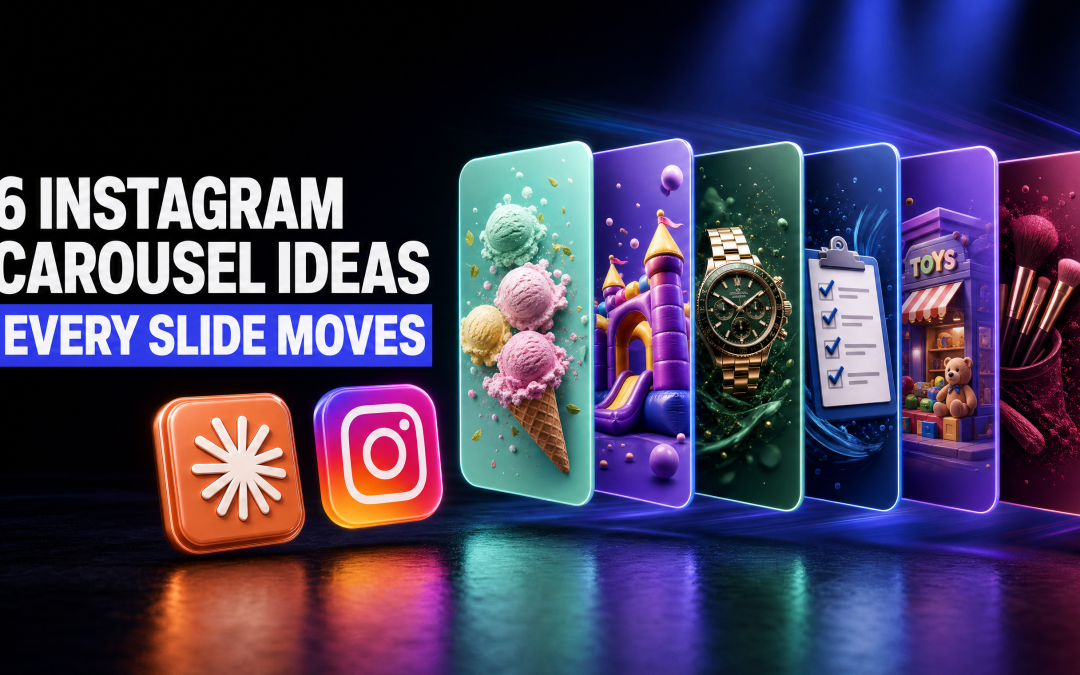
Most carousels on Instagram look the same. A headline at the top, a few lines of text, a logo at the bottom, swipe, repeat. If you sell a product or a service, that format makes it very hard to show what you actually sell.
So here are six Instagram carousel ideas you can steal for your own business, one for each kind of business I built a demo for. Every slide in every one of them moves, plays music and builds itself up on screen. I made all six with a Claude Code skill, two of them live from scratch, and none of them took an editor. One honest note before we start: all six businesses are made up. They are demo brands I invented to show the range, not client work.
Why carousels are worth the effort right now
A carousel is the format people save. In Metricool's 2026 study of more than 24.3 million Instagram posts from 375,118 accounts, carousels earned nine times more saves than single-image posts, according to Metricool. A save is someone telling Instagram they want to come back to your post, which is exactly the signal a small business wants.
You also have room to work with. Instagram lets you put up to 20 photos and videos into a single feed post, per the Instagram Help Centre. Most people still fill those slots with still images.
Here is the shift. Each slide can be its own short video. Instead of a static card with text on it, the viewer gets a slide that builds itself up, plays a clip and holds on the finished design. That matters, because 63% of people say they would most like to learn about a product or service by watching a short video, according to Wyzowl (a survey of 266 people in late 2025). The same survey found 85% have been convinced to buy something by watching a video.
A video carousel gives you both: the save behaviour of a carousel and the pull of video, in one post.
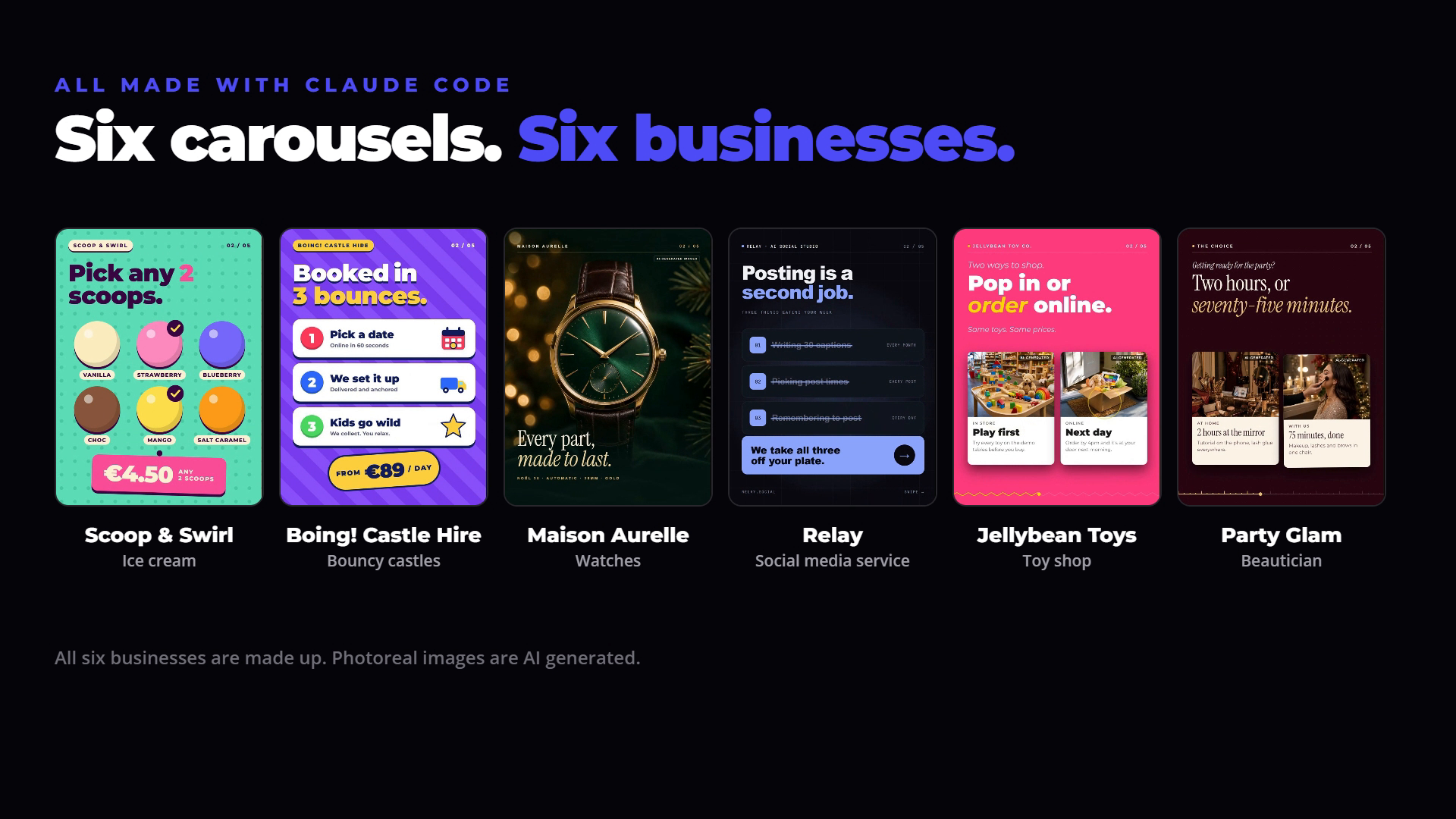
6 Instagram carousel ideas for small businesses
Each idea below is a structure, not a template. Swap my demo business for yours, keep the slide order, and you have a carousel worth posting.
1. The Christmas collection (watch shop)
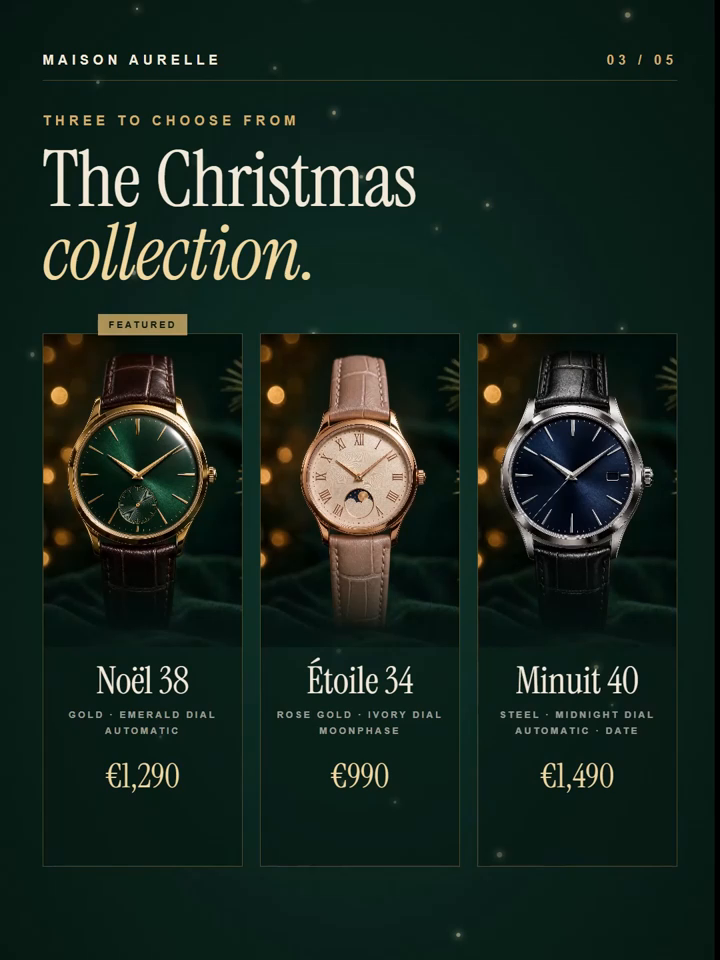
The demo brand here is Maison Aurelle, a made-up watch shop. This is the one I would point most product businesses at, because it does one thing very well: it shows the product.
The slides run like this:
- Cover: "The gift that keeps time." One hero watch, gold on dark green.
- The detail: the watch broken apart, layer by layer, so you can see what goes into it.
- The collection: three watches side by side, each with a name and a price.
- What you get: wrapped for Christmas, engraving, a signature gift box, and exchanges until January with 30 days to decide.
- The call to action: "Find the one they'll keep." Comment a keyword to get the gift guide sent to your DMs.
What I really like about this one is that it showcases a simple product, simply. It is all well and good making carousels that chase big views. For a business, the ability to put three products in front of someone, with prices, in a format that moves, is worth far more.
Pro tip: If you run a real shop, you do not need AI images for this one. Give the skill two or three photos of your own products and let it build the carousel around them. Your real stock will always beat a generated version of it.
2. One offer, one season (beautician)
This is the second carousel I built live, for a made-up beautician running a Christmas party offer. The brief was deliberately narrow: one business, one service, one time of year.
The slides:
- Cover: "Party Glam. December only. 40 slots. That's it." Scarcity in the first second.
- The choice: "Two hours, or seventy-five minutes." Two hours at the mirror doing it yourself, or 75 minutes done for you.
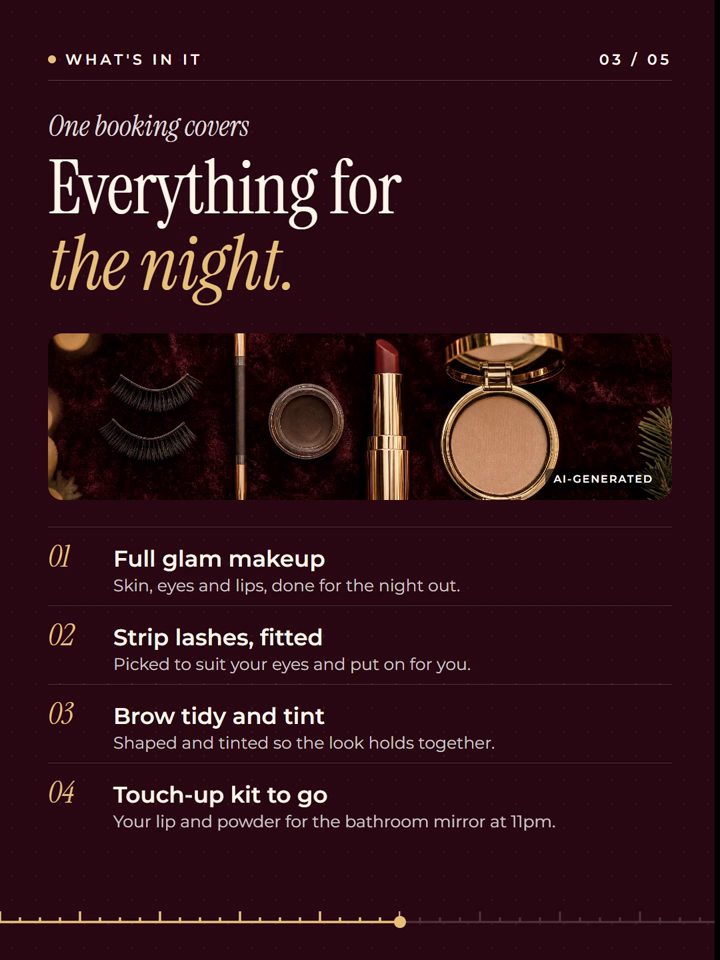
- What is in it: full glam makeup, strip lashes fitted, a brow tidy and tint, and a touch-up kit for the night.
- Booking: €85, seventy-five minutes in the chair, open 1 to 24 December with early party-day slots.
- The call to action: comment a keyword to get the booking link.
This structure works for any service business with a seasonal push. A hairdresser before the wedding season, a personal trainer in January, a garden centre in spring. One offer, clear price, clear dates.
The part that surprised me: I never asked it to make video for this one. It went off and used Kling 3.0 to turn some of the generated images into short clips, and dropped them into the slides. Those are the kind of clips a real beautician would already have on their phone.
3. The shop tour (toy store)
The made-up brand is Jellybean Toys. The brief I gave was short: a five-slide carousel for a toy store, bright and colourful.
The finished version walks you through the shop, one slide at a time:
- The cover: a shot down a toy shop aisle, with a headline like "5,000 toys. One big shop." and the opening days underneath.
- Two ways to shop: pop in, or order online. Same toys, same prices.
- The range: a wide shot of the shelves above the aisles.
- Three extras on us: free gift wrap, parties and toy fixes.
- The shopfront: a blue front with a striped awning, so people know what they are looking for on the street.
This is the structure for any local shop that wants people through the door. It sells the experience of the place, not one product.
4. The menu picker (ice cream shop)
Scoop & Swirl is a made-up ice cream shop. The idea here is to let the viewer play. One slide shows six flavours as round scoops, and the carousel picks two of them in front of you, then lands on the price: any two scoops for €4.50.
It works for any business with a menu. Cafés, takeaways, a bakery, a florist with a set of bouquets. Turn the menu into something the viewer watches being chosen.
5. Booked in three steps (bouncy castle hire)
Boing! Castle Hire is made up too. The cover asks "Party? We bring the bounce." and then the carousel answers the only question a parent has: how does this work?
The middle slide lays it out in three steps: pick a date, we set it up, kids go wild. Then a price: from €89 a day. Done.
This is the structure for any business where the buying process puts people off. Trades, rentals, cleaners, mobile services. Show the steps, show the price, take the worry away.
6. The problem list (social media agency)
The last demo is Relay, a made-up social media service. This one is for anyone selling their own services rather than a product.
The cover says "Posting is a second job." The next slide lists the three things eating the viewer's week: writing 30 captions, picking post times, remembering to post. Then each one gets crossed out, and the slide lands on "We take all three off your plate."
If you sell a service, this is the easiest one to copy. List the jobs your customer hates, cross them out on screen, and tell them you do it.
How I build them with Claude Code
All six came out of one Claude Code skill, the animated video carousel skill. Claude Code runs the skill, Higgsfield makes the realistic photos, and HyperFrames builds and renders the finished slides as video files.
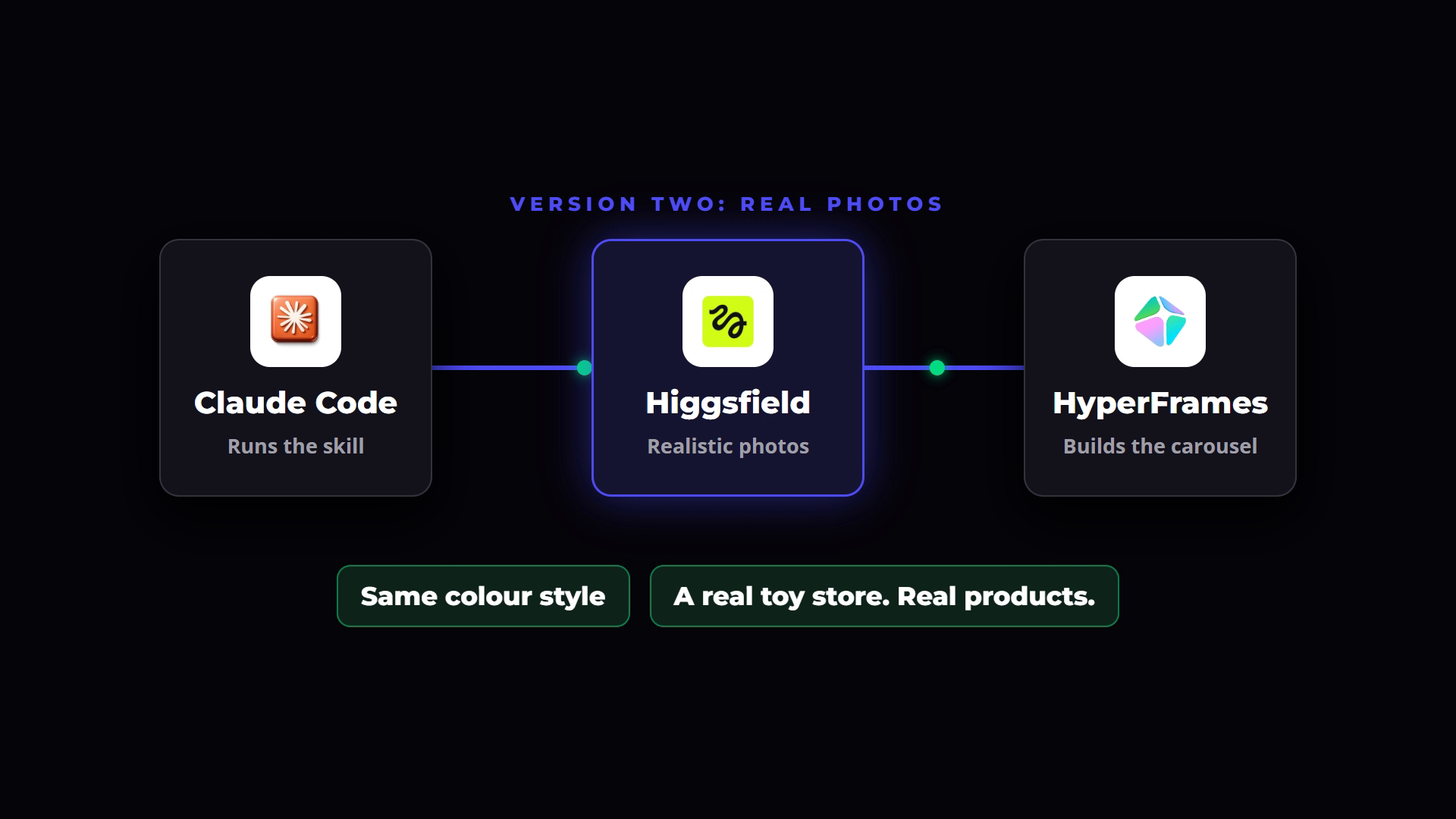
Here is the process I followed, start to finish.
Step 1: Install the skill
The skill lives in the classroom of The AI Marketing Hub, under content creation. You download it, bring it into Claude Code, install it, and that is it. The full setup guide sits right beside it.
Step 2: Open one chat per carousel
I opened two chats side by side, one for the toy store and one for the beautician, and let both build at the same time. I picked those two on purpose: they are opposite ends of the scale, a bright kids' shop and a dark, glamorous Christmas offer.
The prompts were plain English. For the toy store: use the video carousel skill, make a five-slide carousel for a toy store, bright and colourful, ask me any questions beforehand. For the beautician: use the skill again, roughly five slides, the industry is a beautician, it is the Christmas period, and the carousel promotes one single service.
Step 3: Answer its questions
That last line in each prompt matters. Before it builds anything, Claude comes back with a few questions. Who is this for? What is the offer? What source material do you have? What should the call to action be?
For the beautician I told it this was a demo, the offer was a party session, there was no source material, and the call to action was to comment a keyword. Two minutes of answers saves you a rebuild later.
Step 4: Look at version one, then add photos
The first toy store carousel came back with no AI images at all, which is what I asked for. It was decent for a first go. The layout worked, the music played, and a progress bar ran along the bottom. But the very first slide had no image on it, and the cover is the slide that matters most.
So I told it to use our Higgsfield connection to generate realistic photos, keep the same colour style, and use them across the whole carousel so it looked like a real shop with real products.
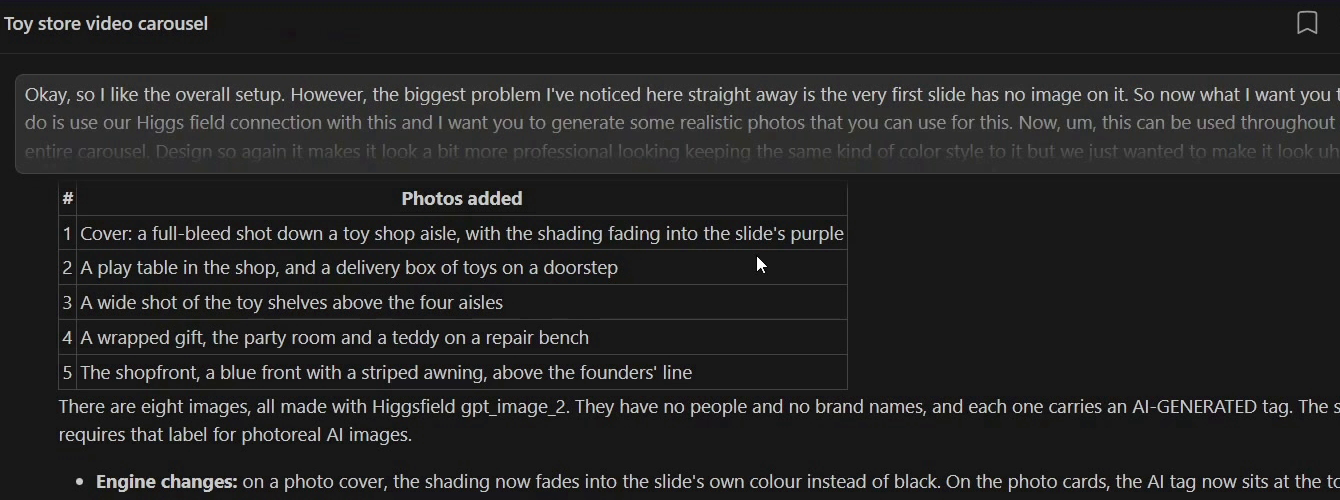
Version two was a different carousel. Same structure, same colours, but now every slide had a proper photo, each one carrying a small AI-generated tag.
No Higgsfield? You have options. Ask Claude to write the image prompts instead, paste them into ChatGPT, generate the images there and bring them back in. Or look at kie.ai, which I am moving to once my Higgsfield membership is up, because it is much cheaper per image. And if you are running this for your own business, you probably do not need generated images at all. Use photos of your actual products.
Sound: use Instagram's music, or bake it in
Every carousel I made has music in the file. You do have the option of adding music inside Instagram when you upload, and at times that works perfectly. Sometimes it does not, and then you need to make the audio yourself.
For the watch shop I wanted something Christmas themed, and the generated audio was spot on for that. The rule I follow: if the mood of the carousel depends on the music, put the music in the file so it cannot be lost.
Make changes, then save them to the skill
Nothing comes out perfect the first time, and that is fine. That is the point of a first version.
If you do not like something, tell it. Remove the cover image, change the text, drop the timers at the bottom of each slide, change the colours. You have complete control of every slide.
The bit most people skip: when you have made a change you will want every time, tell Claude to save it to the skill. The skill you install is enough to get good quality out from day one. Your own notes, saved back into it, are what make it yours.
Frequently asked questions
What are good Instagram carousel ideas for a small business?
Start with what you sell. A product business can show a collection with prices, a service business can sell one seasonal offer with a clear price and dates, and a local shop can give a tour of the place. If you sell services, list the jobs your customer hates and show you take them away.
Can each slide of an Instagram carousel be a video?
Yes. Instagram lets you upload up to 20 photos and videos in one feed post. Each slide in my carousels is its own short video file, and you upload them in order as a normal post.
Do I need AI-generated images for a video carousel?
No. If you have your own product photos, give the skill two or three of them and it will build the carousel around them. Generated images are useful for demos or when you have no photos yet. Label them as AI-generated if they could pass for real photographs.
How do you make an animated carousel with Claude?
Install the video carousel skill in Claude Code, ask it for a carousel in plain English, and answer the questions it asks first. Claude Code runs the skill, Higgsfield can generate realistic photos, and HyperFrames renders every slide as a video.
Do Christmas carousels work for service businesses?
They do, as long as the carousel sells one thing. The made-up beautician carousel promoted a single party makeup service with a price, a date range and a limited number of slots. That focus is what makes it easy to act on.
Where to start
Pick the one idea above that is closest to your business. Write down the five slides in plain English first, then hand that to the skill and let it build version one. Change what you do not like, save the changes, and post it before the Christmas rush starts.
If you want a deeper look at the format itself, I also wrote up how to make a video carousel for Instagram with Claude and the basics of how to make a carousel on Instagram.
The animated video carousel skill, plus the full setup guide, is inside The AI Marketing Hub. There is a 7-day free trial, so you can become a member, grab the skill and build your first carousel this week.
Disclosure: Some links in this article are referral links. If you use one, I may earn a commission at no extra cost to you. I only link to tools I actually use.
How this was made: The facts, numbers and examples in this article come from my own work and videos. I use AI to help draft and structure the writing, then I review and edit every line myself before it goes live.

About the author
I'm Wayne St Ledger, and I run St Ledger Marketing. I started out in construction as a plasterer, then went on to a Bachelor's in Marketing and a Master's in International Business, which is where my bias toward results over talk comes from. I help business owners build marketing systems they actually understand, using AI in grounded, practical ways rather than hype. I also run a YouTube channel on marketing and AI, and The AI Marketing Hub, my own community for business owners and marketers putting AI to work properly.