The €50 AI Tool Stack for Small Business That Works
Most small businesses buy AI tools one at a time, use each in isolation, and wonder why nothing feels connected. The real value is not in any single tool. It is in how they talk to each other. A properly connected AI tool stack for small business replaces functions you would otherwise pay an agency thousands per month to handle: blog content, social media repurposing, email sequences, lead magnets, and scheduling. The total cost? Under €50 a month.
This guide covers the exact four-tool stack that handles content production, marketing automation, and daily operations for a fraction of what a marketing agency charges. No fluff, no “best 47 AI tools” listicle. Just the system that actually runs.
Book a free 15 minute discover call today.
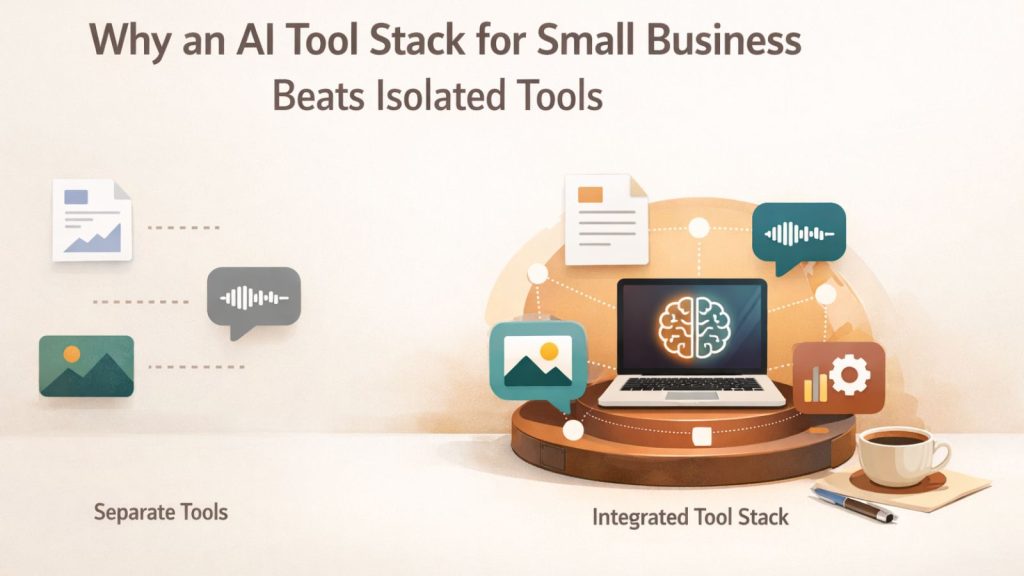
Why an AI Tool Stack for Small Business Beats Isolated Tools
An AI tool stack is a set of interconnected tools where the output of one becomes the input of the next. Instead of using Claude for writing, a separate app for scheduling, and a third platform for visuals (all disconnected), a stack links them into a pipeline. Research goes in. Published content comes out.
According to Salesforce, 71% of marketers now use AI in at least one part of their workflow. But most are using it for one-off tasks, not connected systems. The difference matters. When tools pass work to each other automatically, you eliminate the manual copy-paste steps that eat hours every week.
The typical small business marketing agency charges between €500 and €2,000 per month for content and social media management. According to Clutch, the average SME spends around €1,000 to €5,000 monthly on outsourced digital marketing. The stack described below costs under €50 total.
The Four Layers
Every marketing function falls into one of four categories. Each tool in this stack covers one:
- AI Assistant (thinking and writing): Claude
- Workflow Automation (connecting and producing): Google Antigravity
- Operations Hub (organising and scheduling): Notion
- Visual Content (images and video): Higgsfield
The power is in the connections between layers, not in any single tool.
Tool 1: Claude, the AI Assistant That Does the Heavy Lifting
Claude by Anthropic is the text engine of this stack. It handles writing, editing, brainstorming, and analysis. On the Pro plan ($20/month), it runs comfortably for daily business use.
What makes Claude different from other AI assistants is the depth of its output. When you feed it a detailed brief, it produces structured content that needs editing, not rewriting. In our experience running this stack daily, Claude handles roughly 80% of the workload for tasks like email sequences. What used to take two or three hours of drafting, reviewing, and formatting now takes about 20 minutes of prompting and light editing.
Claude Code (the desktop and CLI version) goes further. You can add custom skills and system instructions that shape every response to match your brand voice, your formatting preferences, and your specific business context. Instead of repeating the same setup prompts every session, the tool remembers how you work.
Pro tip: Set up a system prompt in Claude that includes your business context, target audience, and tone preferences. Every output will match your brand from the first draft. This alone saves hours of editing per week.

What Claude Handles in This Stack
- Email sequences (welcome series, quote follow-ups, seasonal promotions)
- Blog article drafts from research or transcripts
- Social media caption writing
- Content editing and rewriting
- Brainstorming article topics and angles
Each pipeline run consumes approximately 30% of Claude Pro’s 5-hour usage allowance. That leaves room for two or three runs per day plus ad-hoc tasks.
Tool 2: Google Antigravity, the Workflow Engine
Google Antigravity is where isolated tasks become automated systems. It is a workflow automation platform built on Google’s AI infrastructure, and it lets you design custom pipelines that run with minimal input.
Three workflows run on this stack daily:
1. SEO Content Machine
Input: a research document or video transcript. Output: two complete blog articles with metadata, internal links, and SEO structure. The system preprocesses the input, plans the content, assigns keywords, writes the articles, and validates quality. What would take a freelancer a full working day runs in under an hour.
2. Content Repurposing System
Input: a single video transcript. Output: B-roll overlay scripts, carousel image copy, talking head scripts, and text posts for social media. One piece of content becomes five or more formats without any manual rewriting.
3. Lead Magnet Generator
Input: basic topic information and research notes. Output: a formatted, structured lead magnet that gets sent directly to Notion for distribution. The output is professional enough to use immediately on social channels.
Antigravity includes a chatbot interface and integrates with Claude’s API, meaning the AI quality comes from Anthropic while the automation runs on Google’s infrastructure. Free credits come with Google Workspace membership, and usage resets every five hours on the Pro plan.
If you want a detailed walkthrough of setting up your first content pipeline, our step-by-step AI content workflow guide breaks down the exact process.
Tool 3: Notion, the Operations Dashboard
Notion is the central nervous system. Every output from the other tools lands here: blog drafts, lead magnets, content calendars, and project notes. At €9.50 per month for the basic plan, it is the most affordable piece of the stack.
The content workflow looks like this:
- Antigravity generates a blog article or lead magnet
- The output gets pushed to Notion automatically
- In Notion, the content sits in a pipeline: Idea → Ready to Schedule → Scheduled → Published
- All scheduling decisions happen in one dashboard view
Before Notion, the typical setup was files scattered across Google Drive, a local documents folder, random browser tabs, and notes on a phone. That chaos makes it impossible to know what is ready, what needs editing, and what has been published. Notion fixes this by putting everything in one place, accessible from desktop and mobile.
The €20/month upgrade adds Notion Agents, which opens up even more automation potential. But the basic plan handles content scheduling, lead magnet hosting, and pipeline management without any issues.
Tool 4: Higsfield, the Visual Content Platform
Higsfield rounds out the stack by handling images, video, and design. It aggregates multiple AI models (image generators, video creators, design tools) into a single subscription. Instead of paying for three or four separate image and video platforms, Higsfield bundles access to all of them.
For content marketing specifically, Higsfield handles:
- Carousel generation: Feed it a prompt, get a professionally designed carousel. Without this tool, carousels would be plain text on a coloured background.
- AI video creation: Generate spokesperson-style videos for product promotion or social content. 100% AI-generated, no camera required.
- Image creation: Access multiple AI image models from one place for blog headers, social media visuals, and ad creative.
Higsfield costs more than the other tools in this stack, and it sits as an optional bonus rather than a core requirement. But for business owners who need visual content and do not have design skills, it removes a significant bottleneck.
How the Stack Connects: The Full Workflow
Here is how the four tools work as one system, not four separate apps:
- Research or record a piece of content (transcript, notes, research doc)
- Feed it into Antigravity’s SEO Content Machine, which calls Claude’s API for the writing
- Two blog articles come out, fully structured with metadata and internal links
- Articles land in Notion, where they enter the scheduling pipeline
- Feed the same transcript into Antigravity’s Content Repurposing System, which produces social media content in five formats
- Use Higsfield to generate carousel visuals and any images needed for the blog posts
- Schedule everything from Notion’s dashboard, one view for all content across all channels
The total input: one transcript or research document. The total output: two blog articles, multiple social media posts, carousel visuals, and optionally a lead magnet. Time investment: under two hours including review and editing.
According to HubSpot, businesses that publish blog content consistently see 67% more leads than those that do not. This stack makes consistent publishing sustainable for a one-person operation.
To see how a local business would implement this in practice, read about how a Wexford electrician would implement this exact stack.
What This Stack Replaces
| Agency Function | Monthly Cost | Stack Alternative | Stack Cost |
|---|---|---|---|
| Blog writing (2 articles) | €300-€600 | Claude + Antigravity pipeline | ~€20 |
| Social media content | €400-€800 | Antigravity repurposing | Included |
| Email sequences | €200-€400 | Claude | Included |
| Visual content/design | €300-€500 | Higsfield | Variable |
| Content scheduling | €100-€200 | Notion | €9.50 |
| Total | €1,300-€2,500 | Full stack | Under €50 |
The savings are significant, but the real benefit is ownership. When you build the system yourself, you understand how it works. You can adjust it, improve it, and scale it. When an agency runs your marketing, you are renting capability. When you build a stack, you own it.
For a closer look at how individual AI tools work in a local business context, see how a local salon uses AI marketing tools day-to-day.
What This Stack Does Not Do
Honesty matters more than hype. This stack does not:
- Write perfect first drafts. Every output needs human review and editing. You bring the expertise and the personality. The AI brings the speed.
- Replace strategic thinking. You still decide what topics to cover, which keywords to target, and how to position your business. The stack executes. You direct.
- Work without setup time. Building the workflows in Antigravity takes a few hours upfront. Claude needs system prompts configured. Notion needs a dashboard structure. The investment is front-loaded, but it pays back quickly.
- Guarantee results. Publishing content consistently improves your visibility over time, but it is not a magic switch. Website impressions take weeks to build, and SEO is a long game.
Frequently Asked Questions
Do I need technical skills to set this up?
No coding is required. Claude works through a chat interface. Antigravity uses a visual workflow builder. Notion is drag-and-drop. The most technical step is connecting Claude’s API to Antigravity, which involves copying and pasting an API key. If you can follow a recipe, you can set this up.
How much time does the stack save per week?
Based on daily use, the stack saves roughly 8 to 12 hours per week compared to producing the same content manually. The biggest time savings come from content repurposing (turning one input into multiple outputs) and email sequence generation (80% reduction in drafting time).
Can I start with just one or two tools instead of all four?
Yes. Claude and Notion are the minimum viable stack. Claude handles writing, Notion handles organisation. Add Antigravity when you are ready to automate workflows, and Higsfield when you need visual content. Build the stack incrementally.
What if I already use ChatGPT instead of Claude?
The stack works with ChatGPT as the AI assistant layer. Claude is recommended because of the depth and consistency of its output, particularly for longer-form content. But the workflow automation (Antigravity) and operations (Notion) layers are tool-agnostic.
Build the Stack, Own the System
The difference between paying an agency €1,000 a month and running a €50 AI tool stack is not just cost. It is capability. The agency model keeps you dependent. The stack model builds your skills, your systems, and your understanding of what works for your business.
You can also automate business operations with AI desktop tools to extend the stack beyond marketing into daily operations.
Start with Claude and Notion. Build one workflow in Antigravity. See what happens when your content production goes from sporadic to systematic.
If you want ongoing support while building your stack, join our community for ongoing AI and marketing support. We share setups, workflows, and real results from small businesses doing exactly this.