Claude Code for YouTube: How I Saved €3,000 a Month
The video was finished, but the work wasn’t. I still needed a title, a description, chapters, keywords, tags, and thumbnails before it could go live. I used to outsource all of it, and at roughly €100 per video that quietly grew into a €3,000-a-month bill once I started uploading one video a day. Using Claude Code for YouTube, I now produce that entire packaging job myself in about ten minutes, and this is the exact workflow I use.
If you would rather watch it than read it, here is the full walkthrough:
What Claude Code for YouTube Actually Does
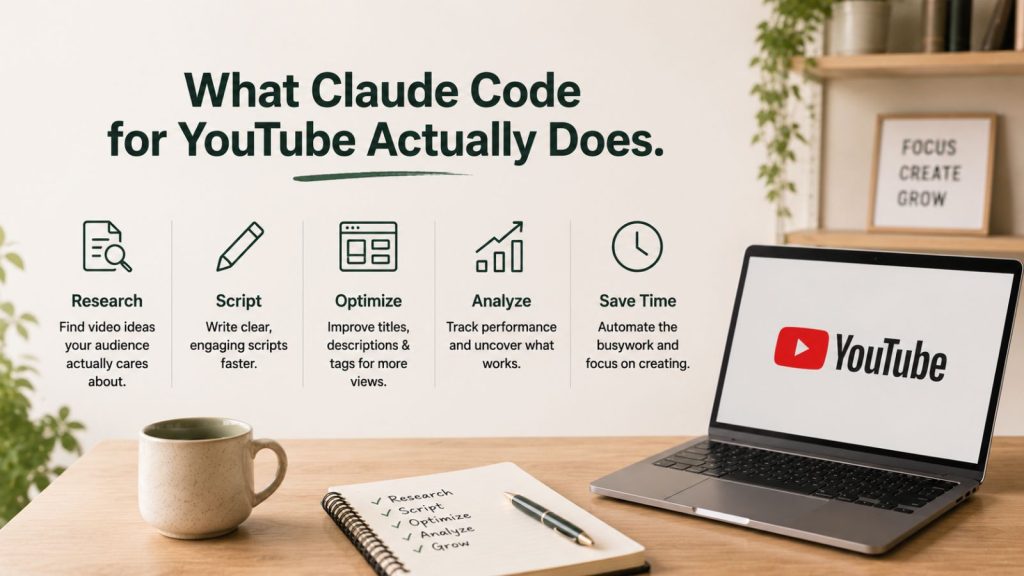
Claude Code for YouTube is a packaging system: you point it at a finished video and it returns everything the upload page asks for, ready to paste. Instead of writing the title, description, chapters, tags, and thumbnail by hand, you run one prompt and review the output.
The package it produces covers six things:
- A keyword-led title built around what people actually search for
- A description with that keyword worked in naturally
- Chapters broken down to the timestamps that matter
- Tags targeting the same keyword cluster
- A “problems answered” block, the questions buried at the bottom of the YouTube details page that can surface your video in Google
- Thumbnails designed however you want them, including a real face if you supply reference photos
It also cuts two to four short teaser clips from the transcript, each built around a different angle: an open loop, a pain point, a clean value moment. That is the part most creators forget exists, and it is free reach for your shorts feed.
The problems-answered block deserves a mention because almost nobody fills it in. These are the questions that sit at the bottom of the YouTube details page, and they double as Google search terms. When someone types “how do I package a YouTube video without paying for it” into Google, a video that explicitly answers that question in its first minute has a real shot at surfacing. Claude Code reads the transcript, finds the questions you actually answer, and maps them to the timestamp where you answer them.
The point is not that AI writes the video for you. The video is yours. Claude Code handles the boring, expensive layer that sits between “export” and “publish”.
Why YouTube Packaging Costs So Much
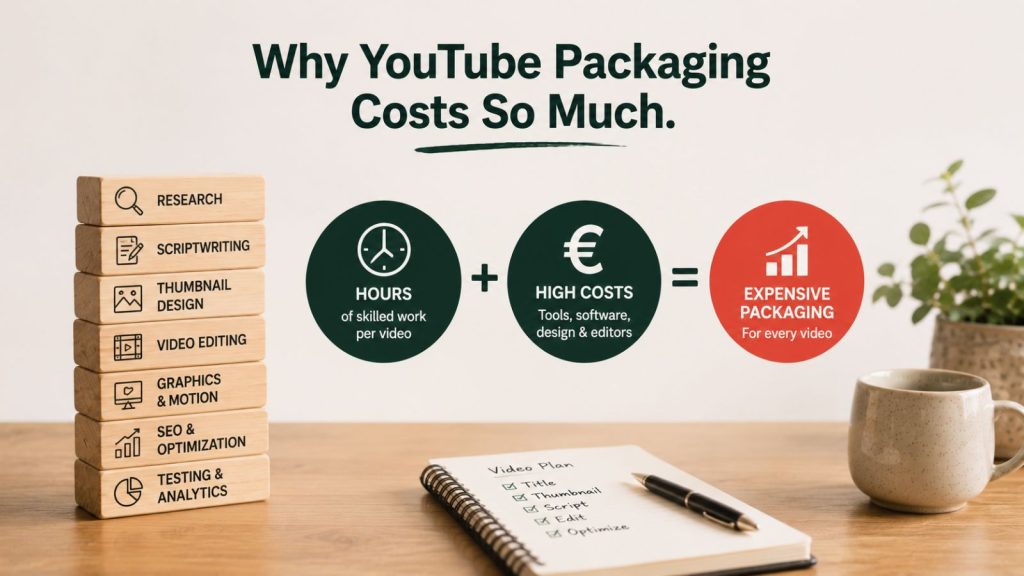
Packaging costs so much because it is the part that actually drives the click, so it is the part people pay specialists to get right. Your title and thumbnail are the only two things a viewer sees before deciding to watch or scroll past.
The data backs that up. YouTube’s own Help documentation states that 90% of its best-performing videos use custom thumbnails, not the auto-generated frames. And the average YouTube click-through rate sits around 4 to 5%, while well-optimised search traffic can reach 8 to 15%, according to Humble and Brag. The gap between a mediocre thumbnail and a good one is the gap between a video that grows and one that dies.
So creators outsource it. A freelance thumbnail, a written description, keyword research, and a title pass add up fast. At around €100 a video and a daily upload schedule, that is roughly €3,000 a month spent on the wrapper, not the content. For a small business owner trying to use YouTube as a marketing channel, that number is the reason most people quit before they build any momentum.
The honest problem is time as much as money. Even if you do the packaging yourself, it eats an hour per video. Do that daily and you have lost a working day a week to admin.
The Tools That Make It Free
The workflow runs on free, open-source tools, which is what removes the per-video cost. Two of them do the heavy lifting, and Claude Code installs both for you on first run so you never touch the command line.
FFmpeg handles the audio and video processing: pulling the audio out of your file and cutting the teaser clips. It is free and runs locally.
Faster Whisper does the transcription. OpenAI released Whisper as a free, open-source speech-recognition model under the MIT licence, and SYSTRAN’s faster-whisper is a re-implementation that runs up to four times faster for the same accuracy. Because it runs on your own machine, you transcribe unlimited video without spending a token or a cent.
That last point matters. Transcription is where a lot of “AI YouTube” tools quietly charge you, either per minute or through API calls. Doing it locally with Faster Whisper means the transcript, the most token-hungry step, is genuinely free every time.
For thumbnails I use Higgsfield, which generates the images automatically inside the workflow. If you do not have it connected, you change one instruction and tell Claude Code to hand you a thumbnail prompt instead. You then paste that into ChatGPT or any image generator you already pay for, and it costs you nothing extra. Both paths get you to the same place.
The Claude Code YouTube Workflow, Step by Step
Here is the process from a finished export to a full package, the way I run it every day.
- Install the pack once. You download the package, drop the zip into your Claude Code workflow, and answer a short set of setup questions. This is where Claude Code installs FFmpeg and Faster Whisper and builds out your brand style.
- Add your brand details and headshots. You tell it what you create and who it is for, then add reference photos of yourself. Those photos are what let the thumbnail step put a real, recognisable face on the image later. If you market a business, this is also where your logos live so they get pulled into thumbnails automatically.
- Tag the video in a new chat. Open a fresh chat, drop in the video file, and type one line: a full YouTube package for this video, please. That is the whole prompt.
- Let it work. It transcribes the file into an SRT, identifies the spine of the content, decides the title, selects and cuts the teaser clips, writes the text pack, and designs the thumbnails. It usually takes five to ten minutes start to finish.
- Review the package. You get a single folder: the title, the keyword-loaded description, chapters, tags, the problems-answered block, the teaser clips, and the thumbnails. Everything is sitting there ready to copy.
- Set your CTA once. The description carries a call-to-action placeholder, so your offer or free guide link gets added to every description automatically. You change it whenever your offer changes, and it stops being a thing you remember to do.
The first run is the only slow one. Because Claude Code installs FFmpeg and Faster Whisper and learns your brand style during setup, every video after that skips straight to the transcription step. By the time you have packaged your second or third video, the ten-minute estimate is realistic rather than optimistic. The setup tax is paid once and the system gets faster the more you feed it.
One detail worth knowing: the default is four thumbnails per video. You can drop that to two if you want the run to finish quicker, or keep it at four when a video matters enough to A/B test the packaging. That single number is the main lever on how long a run takes, because image generation is the slowest part of the process, not the writing.
Pro tip: keep your reference headshots varied and in active poses, not a single passport-style photo. In our experience, the thumbnail generator treats those images as a likeness source, so a pointing, reacting, or presenting pose gives you far more usable thumbnails than a static stare into the lens.
If you want to go deeper on turning one recording into a week of content, this packaging workflow sits neatly alongside our one-video, 66-posts repurposing system.
What You Get Back
What you get back is a publish-ready video page and a week of your time. The before-and-after is stark. Before, packaging one video meant an hour of my own time or €100 to a freelancer. After, it is ten minutes of review on output that is already done.
The teaser clips are the part people underestimate. Each one is cut native and clean, no burned-in captions, on a different angle, so you walk away with three or four shorts from a video you were going to publish anyway. That is extra surface area for the same recording, with zero extra filming.
Be honest about the limits, though. The AI writes a strong first draft of your title and description, but you are still the editor. You should read the title and ask whether it opens a real curiosity gap, and you should sanity-check that the thumbnail matches the content rather than overselling it. YouTube’s 2026 algorithm now weighs what happens in the thirty seconds after the click, not just the click itself, so a thumbnail that wins the click but breaks the promise will cost you more than it earns.
The bigger win is not the €3,000. It is that packaging stops being the bottleneck that decides whether you publish today. When the wrapper takes ten minutes instead of an hour, a daily upload schedule becomes realistic instead of aspirational. For most small business owners, the channel that grows is simply the one that keeps publishing, and this is the system that lets you keep publishing. If you are choosing the wider AI stack to run it on, our breakdown of the AI content tools that survived a six-month test is a good place to start.
FAQ
Do I need to know how to code to use Claude Code for YouTube?
No. Claude Code runs the technical setup for you on first launch, including installing FFmpeg and Faster Whisper. After that, you operate it in plain English: you drop in a video and type a one-line request. The only manual steps are answering a few setup questions once and reviewing the finished package before you upload.
Does it cost money to transcribe each video?
No. Transcription runs locally on your own machine using Faster Whisper, the open-source model, so there are no per-minute or API charges. You can transcribe unlimited video for free. The only running cost is your Claude Code subscription and, optionally, an image generator like Higgsfield for thumbnails, which you can replace with a free ChatGPT prompt.
Can it put my real face on the thumbnail?
Yes. During setup you add reference photos of yourself, and the thumbnail step uses those as a likeness source to render a recognisable version of you inside the design. Supply a few photos in active, expressive poses rather than one static shot, and the generator gives you stronger thumbnail options to choose from.
What if I do not use Higgsfield for images?
You change one instruction and tell Claude Code to give you a thumbnail prompt instead of generating the image. You paste that prompt into ChatGPT or whichever image tool you already use, and it costs you no extra tokens. The text package, chapters, tags, and teaser clips are produced exactly the same way regardless.
Stop Paying for the Wrapper
YouTube packaging is the expensive, repetitive layer between finishing a video and publishing it, and it is exactly the kind of work a system should handle. Once you set it up, Claude Code for YouTube turns an hour of admin into ten minutes of review, and a €3,000 monthly bill into nothing.
If you want the full setup and the kind of AI marketing systems I build week to week, comment “HUB” or join the Marketing Hub, Ireland’s growing Marketing and AI community, where I share these workflows as I build them.