
How to Automate Social Media Posting (7 Platforms)
Scheduling 89 posts across seven platforms used to take me three hours. Now it takes about 15 minutes. The work that disappeared was never the creative part, it was the logging in, reformatting, and manual uploading that nobody counts when they talk about content.
If you want to know how to automate social media posting properly, this is the setup I run every week. Two tools do the heavy lifting: Claude as the brain that writes and organises everything, and Blotato as the system that pushes it out to every platform on a schedule. Here is the full walkthrough on video:
The Hidden Time Sink Nobody Talks About

Everyone talks about how long it takes to create content. Almost nobody talks about how long it takes to publish it. That second cost is brutal, and it is invisible until you measure it.
The old way works like this. You log into Meta Business to schedule Facebook and Instagram, and half the time the scheduler posts at random hours or fails quietly. You jump to TikTok and upload every video by hand. You rewrite the caption for LinkedIn, then again for X, because each platform needs a different tone and length. Then you try to remember what went where.
That last one caught me out constantly. I would think I had posted to TikTok, then realise I had double-posted to LinkedIn and skipped TikTok entirely. Multiply that confusion across seven platforms and you understand why most people give up and post to one channel only.
HubSpot reports creators already spend 5 to 10 hours a week producing content for a single channel. The publishing overhead on top of that is what breaks consistency. And consistency is the whole game: Buffer found that businesses showing up on every channel every week beat the ones that post in bursts and go quiet.
The Two-Tool Stack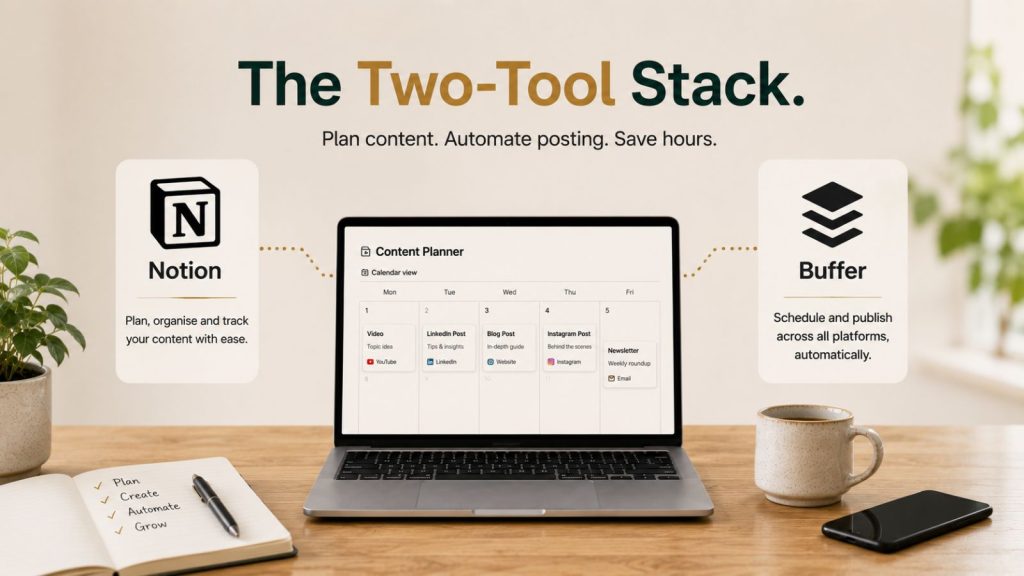
You do not need a complicated setup to automate this. You need one tool to think and one tool to publish.
Claude: The Brain
Claude does everything that requires judgement. It reads your content, writes platform-specific captions for each piece, and organises the whole batch ready to schedule. Crucially, it writes a different caption for each platform. One reel gets a LinkedIn caption, an Instagram caption, a TikTok caption, and a Facebook caption, each suited to that audience, with different calls to action if you want them.
That is the part that ends the manual reformatting. You are not rewriting one post seven times. The system writes all seven versions from the source in one pass.
Blotato: The Publisher
Blotato is the publishing layer. It connects to every platform once, holds your posting queue, and pushes content out on schedule. In the settings you connect Twitter, LinkedIn, Facebook, TikTok, Instagram, Threads, Pinterest, Bluesky, and YouTube. After that, Blotato handles the actual posting so you never log into a platform to publish again.
Adobe found that more than 85% of creators say AI helps them work faster, but the speed only shows up when the create step and the publish step are connected. That connection is what this stack gives you.
How to Automate Social Media Posting: The Setup
Here is the workflow end to end, the same one that turns three hours into fifteen minutes.
Step 1: Connect Your Accounts Once
In Blotato’s settings, connect every platform you post to. This is a one-time job. Twitter, LinkedIn, Facebook, TikTok, Instagram, Threads, Pinterest, Bluesky, and YouTube all link in and stay connected. I have been running mine for months with no drop-outs.
Step 2: Set Your Posting Slots, Not Times
This is the principle that makes it work: the cue is not the clock. You set posting slots once and let content fill them, rather than picking a time for every single post.
In the calendar you build a weekly schedule. I run two slots on Saturdays and Sundays and four slots Monday to Friday. If you know Thursday performs well for you, add more slots that day. Once the slots exist, you never touch them again, the queue just fills them in order.
Step 3: Connect Claude to Blotato
Claude connects to Blotato through an API connection, set up via MCP. It is quick to wire up, and once it is done, Claude can drive the entire scheduler. You tell Claude to schedule your content, and it talks to Blotato directly: pulling the accounts, generating the captions, and creating the scheduled posts.
Step 4: Generate Platform-Specific Captions
This is where Claude earns its place. For a batch of reels, it produces unique captions for every platform automatically. A small but important tip: on Instagram, use captions built around searchable terms, because Instagram increasingly behaves like a search engine. Phrases like “how to repurpose content using AI” do more work than a clever line nobody searches for.
Step 5: Run It and Confirm
With slots set and captions written, you run the scheduling agent. In one recent run, I scheduled 25 pieces of content out to 89 individual posts across platforms. You can set it to auto-confirm so there is no back-and-forth checking whether things scheduled. The agent reports what it did, and you verify against the calendar.
The result: a calendar that was empty at the start of the week is now filled with around four posts a day across every platform, through to the following Saturday.
15 Minutes Versus 3 Hours
The comparison is stark. Scheduling roughly 89 posts by hand, logging into each platform and reformatting each caption, takes about three hours. The same job through Claude and Blotato takes about 15 minutes, which is roughly the length of the video where I demonstrate it.
That is three hours a week back, every week, assuming you are only posting this volume. The honest caveat is that most people are not producing this much content. But here is the point: if you are putting the effort into creating content at all, you may as well get it in front of more people. The publishing cost of one extra platform is now near zero.
On cost, the stack is modest. Blotato runs around €25 a month and connects roughly 20 social accounts on the entry plan. Claude’s Pro plan is around €20 a month. For roughly €50 to €60 a month total, you get a system that schedules across every platform you care about and writes the captions for each one.
Why Automation Beats Willpower
The real reason to automate is not the time saving, it is what the time saving protects: consistency. Almost everyone has lived the cycle. You go hard for two weeks, fully motivated, then you miss a day, then another, and the whole thing collapses. Your account plateaus, you lose interest, and you start again from near zero a month later.
Automation makes consistency survivable when you are running everything else in the business. The posts go out whether you feel like it that day or not. That single fact is what separates accounts that grow from accounts that stall.
It also closes a gap most people never notice: every stage of the funnel gets fed. No more posting six awareness clips and zero conversion emails. The system keeps the whole funnel moving instead of just the top of it.
For where this fits in the bigger picture, see our content repurposing system guide for how content gets created before it is scheduled, and the AI tools that survived my six-month test for why these specific tools made the cut.
A Real Week, Start to Finish
Here is what this looks like in practice, not in theory. At the start of one recent week, my calendar was empty. I had nothing scheduled for the rest of the month and a stack of 25 pieces of content built up from videos and live streams across the week.
I dropped the batch into the system and answered a couple of quick prompts about captions. The scheduling agent pulled my Blotato accounts, generated the platform-specific captions, and created 89 scheduled posts. While that ran, it also rendered an image I had not finished and built two infographic variations I had not touched, bringing some of my own brand information into both.
By the end, the calendar that started empty was filled with around four posts a day across every platform, through to the following Saturday. Everything was logged to a tracking sheet automatically, so I had a record of what posted and where. My plan for the following Monday and Tuesday was simply to run the same process again, top up the remaining slots, and stay a week ahead.
That is the quiet power of automating the publishing step. The creative work still happened earlier in the week, but turning 25 raw pieces into 89 live, captioned, scheduled posts took minutes, not an afternoon. A week ahead at all times, with no platform forgotten and no caption rushed.
What to Watch For
Two honest notes. First, automation is not a reason to post low-quality content faster. The scheduler will happily push out weak posts. The quality still has to be there before it goes into the queue.
Second, review what works. Every two or three weeks I run through what posted, what landed, and what to cut. Automation handles the publishing, but the judgement about what is worth publishing stays with you. That review loop is what stops a busy schedule from becoming a noisy one.
FAQ
How do I automate social media posting across multiple platforms?
Connect every platform once to a scheduler like Blotato, set fixed posting slots in a weekly calendar, then connect an AI tool like Claude to generate platform-specific captions and create the scheduled posts. Once connected, you tell the AI to schedule a batch and it handles the captions and publishing across all platforms in one run.
How long does it take to schedule a week of content this way?
Scheduling around 89 posts by hand across platforms takes roughly three hours of logging in and reformatting. Through Claude and Blotato, the same batch takes about 15 minutes, because the captions are generated automatically and the scheduler publishes to every connected account from one queue.
What does it cost to automate social media posting?
The setup runs roughly €50 to €60 a month: about €25 for Blotato, which connects around 20 social accounts on its entry plan, and about €20 for Claude’s Pro plan. For the volume of content it schedules and the time it returns, the cost per post is very low.
Should I schedule the same caption to every platform?
No. The advantage of this setup is that each platform gets its own caption, written for its audience and length. On Instagram, lean into searchable phrases since it behaves like a search engine. Posting the identical caption everywhere reads as duplication and tends to suppress reach.
Will automated posting hurt my engagement?
Not if the content is good. Engagement suffers from inconsistency far more than from automation. Buffer’s data shows accounts that post consistently outperform those that post in bursts. Automation protects that consistency, so the posts keep going out even in your busiest weeks.
Set It Once, Then Show Up Everywhere
Knowing how to automate social media posting comes down to two things: connect your platforms to a scheduler once, and let an AI tool write the captions and run the queue. Three hours becomes fifteen minutes, and consistency stops depending on willpower.
If you want the exact setup, including how Claude connects to Blotato and how the whole system is wired, it is documented inside the Marketing Hub, Ireland’s growing Marketing and AI community. Comment HUB or follow the link to build it for your own business.