YouTube to Blog Post in Minutes: AI Transcript Tool 2026
Every YouTube video you publish already contains a blog post. The transcript is sitting right there, full of your expertise, your voice, and your real-world examples. Yet most business owners never touch it. They record the video, upload it, and move on. Meanwhile, that same content could be ranking on Google and pulling in search traffic for months or years. Learning how to turn a YouTube transcript into an SEO article is one of the highest-ROI content moves you can make, and this guide walks you through exactly how to do it.
According to HubSpot, 50% of companies saw higher blogging ROI year-over-year in 2024, and 65% of marketers work for companies that maintain blogs. The appetite for written content is not shrinking. If anything, blog content is becoming more valuable as AI-generated noise floods search results with thin, generic articles. Your YouTube videos give you something those AI-only articles lack: genuine expertise captured in your own words.
What Transcript-to-Article Repurposing Actually Means
Let’s be precise. Transcript-to-article repurposing is the process of taking the raw spoken text from a YouTube video, restructuring it for a reading audience, optimising it for search engines, and publishing it as a standalone blog post. It is not copying and pasting a transcript onto a web page. It is not running a transcript through ChatGPT with the prompt “make this a blog post.”
This approach works for anyone who creates video content: consultants, coaches, agency owners, local service businesses, educators, and SaaS founders. If you talk about your area of expertise on camera, you already have the raw material. The workflow below turns that raw material into search-optimised written content.
The underlying principle is simple: you spoke the expertise once, so you should not have to generate it again from scratch. You restructure, refine, and optimise. The thinking is already done.

Why Most People Get This Wrong
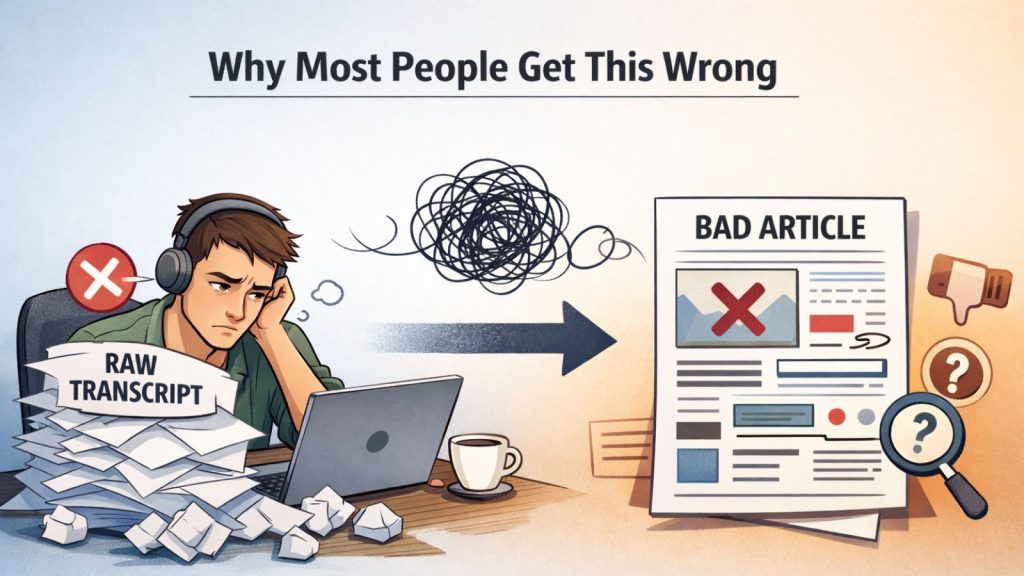
The most common mistake is treating this like a one-click automation. Someone grabs a transcript, pastes it into an AI tool, types “turn this into a blog post,” and publishes whatever comes back. The result is predictably poor: no keyword targeting, no logical structure, no internal links, no schema markup, and a tone that sounds like it was written by a committee.
Here is what goes wrong specifically:
No keyword research. The transcript covers a topic, but it does not naturally align with what people search for. Without identifying a target keyword and search intent, the article ranks for nothing.
No structural planning. Spoken content meanders. You go on tangents, circle back, repeat points for emphasis. That is fine on video. In written form, it reads like a mess. The article needs its own structure built around the reader’s questions.
No context for the AI. When you paste a transcript into Claude or ChatGPT with zero context, the AI has no idea about your business, your audience, your brand voice, or your internal linking strategy. It produces generic output because you gave it generic input.
No SEO optimisation. Title tags, meta descriptions, slugs, header hierarchy, FAQ schema, image alt text: these details determine whether the article gets found. Skipping them means the content exists but nobody discovers it.
According to Typeface, the percentage of marketers not using AI for blog creation dropped from 65% to 5% in two years. Everyone is using AI now. The difference between good results and wasted effort is in the process, not the tool.
The Tools You Need (and How to Use Each One)
You do not need a dozen subscriptions. Here are the specific tools that make this workflow reliable, with concrete detail on what each one does in the process.
Claude (Anthropic) for Writing and Planning
Claude is the core engine for this workflow. Use it for three distinct jobs: cleaning the transcript, building the content plan, and writing the article itself.
For transcript cleaning, paste the raw transcript and ask Claude to remove filler words, fix grammar, and break the text into topic blocks. For the content plan, provide Claude with your target keyword, your business context, your brand voice guidelines, and your internal linking rules. Claude builds a structured outline that maps the video’s content to search intent. For writing, Claude produces the article section by section, following the plan. If you want to go deeper on setting up Claude as a daily working tool, our AI desktop assistant guide for small businesses covers the foundational setup.
Pro tip: Never send Claude a transcript without context. Create a “context document” that includes your business description, target audience, brand voice notes, and a list of internal URLs you want to link to. Attach it with every request. The output quality difference is dramatic.
Google Keyword Planner and Semrush for Keyword Research
Before you write a single word, you need to know what keyword the article targets. Google Keyword Planner (free with a Google Ads account) shows search volume and competition. Semrush provides deeper data: keyword difficulty scores, SERP analysis, and related keyword clusters.
Search for the topic your video covers. Look for keywords with clear informational intent and reasonable search volume. A keyword like “how to repurpose YouTube videos” is stronger than “YouTube content” because the intent is specific and actionable.
WordPress with Yoast SEO for Publishing
Yoast SEO (free version works fine) gives you a structured checklist for every article: focus keyword, meta description, slug, readability score, and schema markup support. It also handles your XML sitemap automatically.
When publishing, fill in every Yoast field. Do not skip the meta description. Do not leave the slug as the auto-generated default. These small details compound into significant ranking signals over time.
JSON-LD FAQ Schema for Structured Data
If your article includes an FAQ section (and it should), add FAQ schema using JSON-LD. This tells Google that specific questions and answers exist on the page, which can trigger rich results in search. You can generate the JSON-LD manually, use a free schema generator, or use a WordPress plugin like Rank Math or Yoast Premium that adds it automatically.
Google Search Console for Indexing
After publishing, use Google Search Console’s URL Inspection tool to request indexing. Do not wait for Google to discover the page on its own schedule. Submit it directly.
The Step-by-Step Workflow to Turn a YouTube Transcript Into an SEO Article
This is the exact YouTube to blog post workflow we use. Each step builds on the previous one. Skip a step and the quality drops noticeably.
Step 1: Pull and Clean the Transcript
Open your YouTube video in YouTube Studio. Navigate to the transcript section (Subtitles tab) and copy the full text. Alternatively, use a tool like Otter.ai or the free YouTube transcript copy feature.
Paste the transcript into Claude with this instruction: “Clean this transcript. Remove filler words (‘um,’ ‘you know,’ ‘like’), fix obvious grammar issues, and break the content into logical topic blocks with brief labels for each block.”
The output gives you a clean, organised version of what you said. This is your raw material, not your finished article.
Step 2: Extract Key Topics and Identify Target Keywords
Review the cleaned transcript and list the main topics covered. Then open Google Keyword Planner or Semrush and search for those topics. You are looking for a primary keyword with clear search intent and 2-4 secondary keywords that support it.
In our experience, the best primary keywords come directly from questions your video answers. If your video is titled “How I Get Clients From Google Maps,” the target keyword might be “Google Maps marketing for local businesses” or “how to rank on Google Maps.”
Write down your primary keyword, secondary keywords, and the search intent (informational, commercial, transactional). You will feed all of this to Claude in the next step.
Step 3: Build a Content Plan
This is where most people skip ahead and just start writing. Do not do that. A content plan maps your transcript’s topics to a reader-friendly structure optimised for your target keyword.
Provide Claude with: the cleaned transcript, your target keyword and secondary keywords, your business context document, your internal linking URLs, and the instruction to create a detailed article outline.
The outline should include: a working title with the focus keyword, H2 and H3 headings, bullet points for what each section covers, where internal links fit naturally, and where to place statistics or examples.
What we have found is that spending 10 minutes on the content plan saves 30 minutes of rewriting later. If you are looking to build your first AI content workflow, getting comfortable with content planning is the single most important skill.
Step 4: Write With Context Layers
Now you write, section by section, using Claude. Feed it the content plan and the cleaned transcript together. Instruct it to write each section following the plan, using the transcript as source material for expertise and examples, while matching your brand voice.
Context layers matter here. Your prompt should include:
- Business context: Who you are, what you sell, who your audience is
- Voice guidelines: Direct, practical, no fluff, no corporate speak
- Linking rules: Which internal pages to link to and preferred anchor text
- SEO requirements: Focus keyword placement, secondary keyword usage, header structure
Each section should be 150-300 words. Keep paragraphs short (2-4 sentences). Use subheadings to break up the text. Include specific examples from your video rather than generic advice.
According to CoSchedule, 85% of marketers use AI tools for content creation. The ones getting results are the ones providing this level of context. The tool is only as good as the input.
Step 5: Optimise for SEO
With the article drafted, run through your SEO checklist:
- Title tag: Include focus keyword, keep under 60 characters
- Meta description: Include focus keyword, write a compelling summary under 155 characters
- URL slug: Short, keyword-rich, hyphenated (e.g., /turn-youtube-transcript-into-seo-article/)
- Header hierarchy: One H1 (the title), H2s for main sections, H3s for subsections
- Focus keyword placement: In the title, first paragraph, at least one H2, and naturally throughout the body
- Internal links: 2-4 links to related content on your site, placed within natural sentences
- Image alt text: Descriptive, keyword-relevant where appropriate
- FAQ schema: Add JSON-LD FAQ markup for your FAQ section
Open the article in WordPress and fill in every Yoast SEO field. Check the readability score. Fix any red or orange indicators. This takes 5-10 minutes and makes a measurable difference.
Step 6: Publish and Force-Index via Google Search Console
Hit publish. Then immediately go to Google Search Console, paste the article URL into the URL Inspection tool, and click “Request Indexing.” This tells Google to crawl the page now rather than whenever it gets around to it.
According to Google Search Central, new pages on established sites typically get indexed within hours to 3 days. New sites take 1-4 weeks. Submitting manually through Search Console puts you at the faster end of that range.
Bookmark this step. It takes 30 seconds and too many people forget it.
Results and What to Expect
Let’s be honest about outcomes. This process produces well-structured, keyword-targeted articles grounded in genuine expertise. That is a strong starting position. But it does not guarantee page-one rankings overnight.
According to Ahrefs, only 5.7% of newly published pages rank in the top 10 within one year. That statistic is not meant to discourage you. It is meant to set realistic expectations. SEO is a compounding game. Each article you publish adds to your site’s topical authority. Article number 20 ranks faster than article number 3.
What you will see: faster indexing (because you are submitting manually), higher content quality (because you are using your own expertise as source material), and a growing library of search-optimised content that works for you 24/7.
For a concrete example of what this looks like in practice, read about how a local business would use this transcript-to-article system. The results are tangible and repeatable.
The biggest advantage of this approach is consistency. When you repurpose YouTube video into article format using a structured workflow, you stop treating blog content as a separate creative task. It becomes a natural extension of what you are already doing on camera.
Frequently Asked Questions
How long does it take to turn a YouTube transcript into an SEO article?
The full workflow takes 60-90 minutes once you have done it a few times. Transcript cleaning takes 10 minutes, keyword research takes 15 minutes, content planning takes 15 minutes, writing takes 20-30 minutes, and SEO optimisation plus publishing takes 10-15 minutes. Significantly faster than writing a 2,000-word article from scratch.
Do I need a paid AI tool, or will free options work?
Claude’s free tier handles transcript cleaning and basic writing. For higher volume, a Pro subscription gives you longer context windows and faster responses. Google Keyword Planner is free. Yoast SEO’s free version covers the essentials. You can run this entire workflow for free, though paid tiers of Semrush and Claude speed things up.
Will Google penalise AI-assisted content?
No. Google’s published guidance is clear: they reward helpful content regardless of how it was produced. The key word is “helpful.” A transcript dumped into AI with no editing, no keyword targeting, and no human oversight is not helpful. An AI-assisted article built on your genuine expertise, structured for readers, and optimised for search is exactly what Google wants to rank. The workflow in this guide produces the second kind.
Can I use this workflow for podcasts or webinar recordings too?
Absolutely. Anything with a transcript works. Podcast episodes, webinar recordings, conference talks, and client Q&A sessions all contain expertise worth repurposing. The workflow is identical: pull the transcript, clean it, research keywords, build a plan, write with context, optimise, and publish. AI transcript to article conversion follows the same principles regardless of the original format.
Start Repurposing Your YouTube Content for SEO
You already have the expertise. You already have it recorded. The only missing piece is a reliable process to turn that recorded knowledge into written content that ranks. This guide gives you that process, step by step, with specific tools and concrete instructions.
Start with your most popular YouTube video. Pull the transcript today. Follow the six steps above. Publish the article this week. Then do it again next week. Within a few months, you will have a library of search-optimised content built entirely from expertise you have already shared.
If you want structured support building this into a repeatable system for your business, join our membership for ongoing support. You will get access to templates, context documents, and direct feedback on your content workflow, everything you need to make YouTube content repurposing SEO a core part of your marketing strategy.